A network failure rarely announces itself politely. A conference room display drops from the network before a client presentation. Cameras go offline after a storm. Wi-Fi works near the router but fails across the property. For homeowners and businesses seeking Ubiquiti network repair in Palm Beach County, the real need is not simply to get an internet connection back. It is to restore the dependable infrastructure that supports security, communications, entertainment, automation, and daily operations.
Ubiquiti UniFi systems are widely chosen for their centralized management, flexible coverage, and ability to scale from a single residence to a multi-building commercial property. When designed and maintained properly, they provide a high-performing foundation for connected spaces. When a problem develops, however, the symptoms can be misleading. What appears to be a Wi-Fi issue may originate with a switch, network gateway, cable run, power source, controller setting, or internet service handoff.
Why Ubiquiti Network Problems Need Proper Diagnosis
A Ubiquiti installation is an ecosystem, not a collection of isolated devices. Gateways, managed switches, wireless access points, cameras, door access hardware, network video recorders, and controller software all rely on a healthy underlying network. A failure at one point can affect systems that seem unrelated.
For example, an access point may show as offline because it is not receiving Power over Ethernet from its switch. The switch may appear functional, but an uplink cable or port profile may be the actual issue. In another scenario, devices can remain online while cameras, smart home controls, or guest Wi-Fi lose access because of a network segmentation or firewall rule problem.
This is why replacing hardware before identifying the cause can create more disruption and unnecessary expense. Professional repair begins with a clear understanding of the existing topology, device roles, software versions, settings, and physical infrastructure. The goal is to correct the root cause while preserving the configuration details that make the system work for the property.
Common Reasons UniFi Systems Lose Performance
Some network failures are sudden, while others build quietly over time. Intermittent Wi-Fi, slow roaming between access points, video buffering, and unreliable remote access are often signs that a system needs attention before an outage becomes more serious.
Power, Cabling, and Hardware Faults
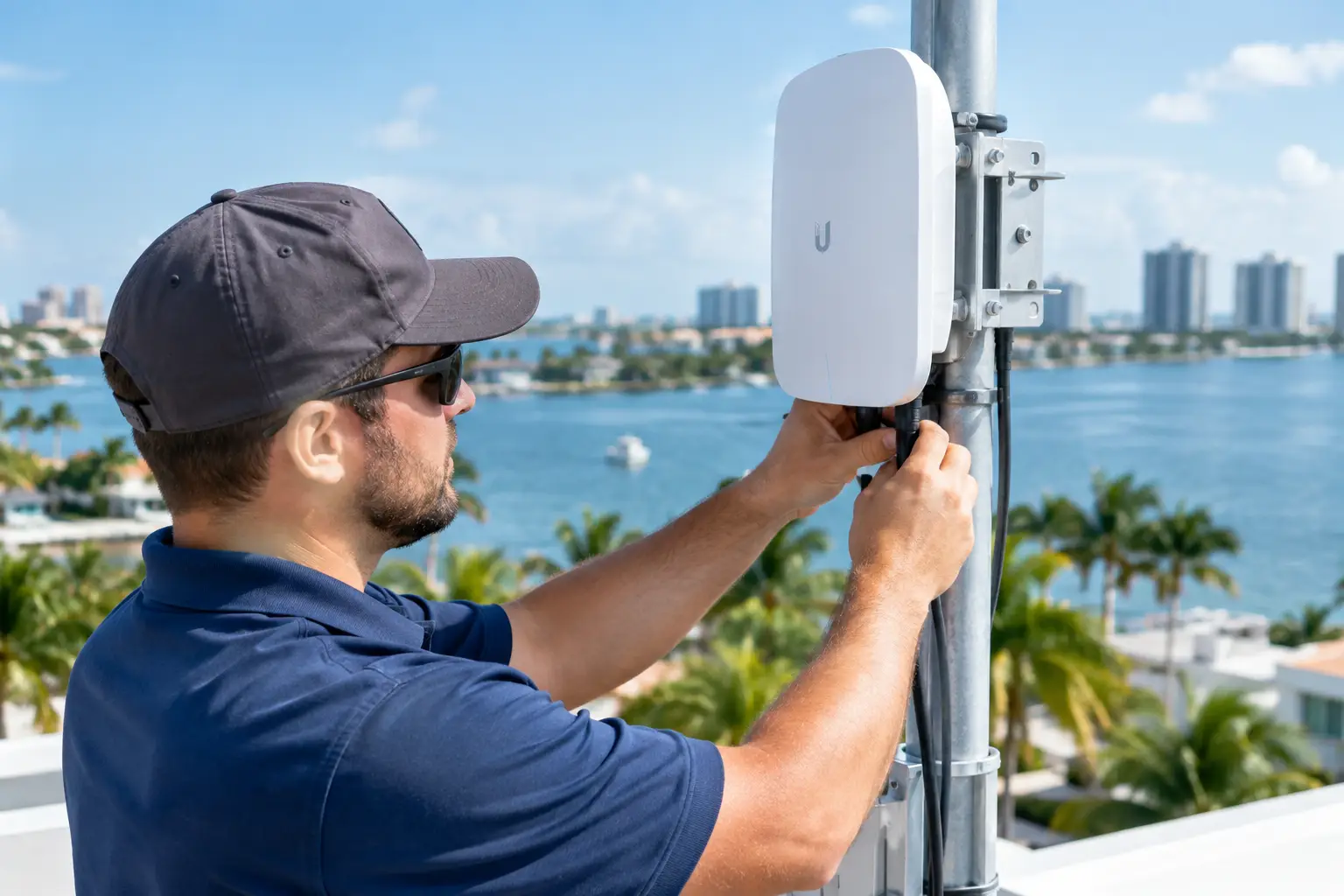
South Florida weather can be hard on outdoor equipment and infrastructure. Power events, humidity, water intrusion, surge damage, and aging terminations can affect network hardware without producing an obvious visible failure. A damaged cable may still pass limited traffic but fail under load. An overloaded or failing Power over Ethernet switch can cause access points or cameras to restart unpredictably.
A qualified technician evaluates the physical layer first: cable condition, port status, power requirements, rack ventilation, surge protection, grounding, and device health. This disciplined approach prevents configuration changes from masking a hardware-related problem.
Configuration Changes and Controller Issues
UniFi systems rely on a controller to manage devices, wireless networks, VLANs, security policies, updates, and remote administration. A controller migration, incomplete update, credential issue, or accidental setting change can prevent devices from adopting correctly or communicating as intended.
Configuration repair requires care. Restoring a prior backup may be appropriate in some cases, but it is not always the answer. If the network has changed since that backup was created, blindly rolling back settings can remove current devices, access rules, or integrations. The right course depends on the age of the backup, the scope of the issue, and how the network supports the rest of the property.
Coverage Gaps and Capacity Changes
A network that performed well at installation can outgrow its original design. A renovated wing, outdoor living area, expanded office, additional cameras, or a larger number of connected devices can expose weak coverage and capacity planning. Moving an access point or adding one in the wrong location can also create interference rather than improve performance.
Repair may involve adjusting access point placement, radio settings, channel planning, transmit power, or wired backhaul connections. The objective is consistent coverage and stable handoffs throughout the spaces where people actually work, gather, and use connected services.
Security and Remote Access Concerns
Remote network access is valuable when it is intentional, documented, and secured. It can become a concern when former users retain access, passwords are not properly managed, or changes have been made without a record of why they were needed. A repair visit is an appropriate time to review administrator access, network segmentation, firmware status, and remote management practices.
This is especially relevant when surveillance, access control, point-of-sale systems, or confidential business operations depend on the network. Reliable service and responsible security should work together, not compete.
What a Professional Ubiquiti Repair Visit Should Accomplish
Effective network service is more than reconnecting a device and waiting to see if it stays online. A thorough visit should establish what failed, why it failed, and what should be done to reduce the chance of recurrence.
The process typically starts with gathering details about the symptoms. Did the issue begin after an outage, service-provider change, renovation, update, or new equipment installation? Is it affecting every device, a single area, wireless service, wired service, cameras, or remote connectivity? These answers guide the investigation and reduce time spent chasing the wrong problem.
From there, the technician reviews the network gateway, switches, access points, controller status, event logs, and connected device behavior. Physical connections and power delivery are tested where appropriate. Once the source is identified, the repair may involve replacing a failed component, correcting cabling, restoring a device adoption, adjusting configuration settings, resolving addressing conflicts, or updating firmware in a controlled manner.
Testing should extend beyond a single successful connection. The repaired network should be evaluated across the affected areas and services. That may include confirming wireless coverage, wired throughput, camera connectivity, remote viewing, guest network isolation, or communication between automation and control systems.
When Repair Becomes a Network Improvement Opportunity
Not every problem requires a redesign. A single failed switch, access point, or cable can often be repaired with minimal changes. Still, a service call may reveal that an older installation lacks documentation, has limited room for growth, or is carrying more traffic than it was designed to handle.
For a large home, that could mean separating security cameras and smart home controls from guest devices, improving outdoor coverage, or consolidating scattered equipment into a clean, serviceable rack. For a business, it may mean creating clear network boundaries for staff, guests, communications, and security systems while ensuring management has reliable visibility into the entire environment.
The trade-off is straightforward: a focused repair addresses the immediate issue, while a targeted improvement can prevent recurring service calls and make future expansion easier. The appropriate recommendation should be based on the property’s current needs, system condition, and plans for the space, not a one-size-fits-all package.
Choosing Ubiquiti Network Repair in Palm Beach County
Look for a service provider that understands the network’s role in the larger technology environment. A home network may support surveillance, distributed audio, outdoor entertainment, motorized shades, pool controls, and centralized automation. In a commercial setting, it may support communications, displays, cameras, access systems, and day-to-day operations. Repairing the network without recognizing those dependencies can leave important systems vulnerable to the next disruption.
It also helps to work with a team that can take ownership from diagnosis through long-term support. Clean rack work, labeled cabling, documented credentials, current backups, and clear recommendations are signs of professional execution. They make future service more efficient and give property owners confidence that their infrastructure is understood.
Sentry Audio Video provides integrated network support for residences and businesses where performance, security, and clean technical execution matter. Whether the issue is localized or affects an entire property, the focus should remain on restoring reliable operation without compromising the systems connected to it.
A well-repaired Ubiquiti network should fade into the background again: cameras remain available, controls respond when needed, guests connect appropriately, and the people using the space can focus on what they came there to do.