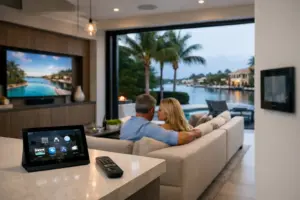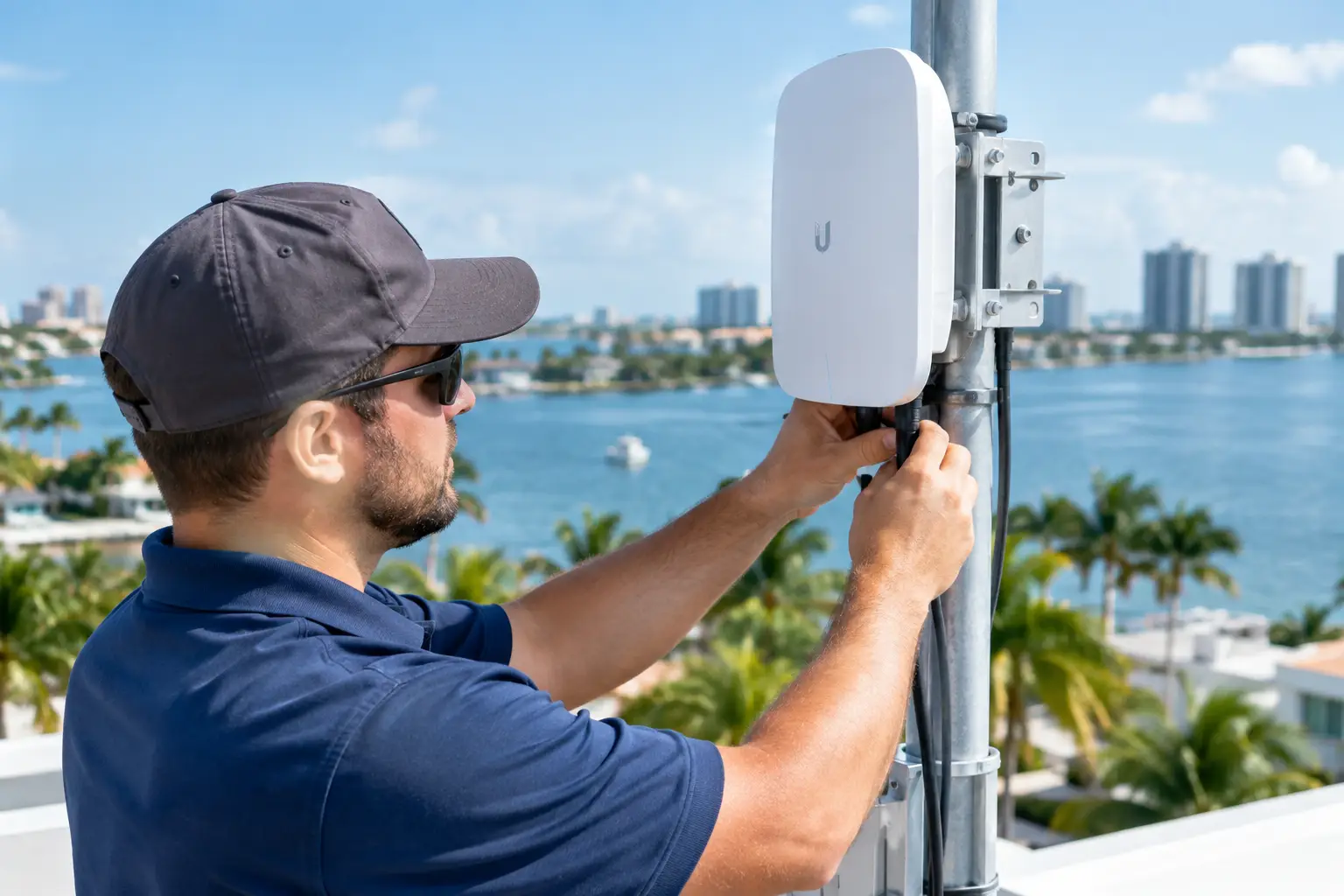
A UniFi network should be designed around the property, not assembled from a shopping list of access points. Sentry Audio Video designs, installs, configures and services Ubiquiti UniFi networks for Boca Raton custom homes, waterfront estates, condominiums, restaurants, offices and multifamily properties. We handle new systems, structured cabling, Wi-Fi upgrades, network takeovers, rack corrections, multi-building links and the integration of UniFi Network, Protect and Access where those platforms fit the project.
Ubiquiti is the company; UniFi is the product ecosystem most homeowners and business owners recognize. That is why this page uses both names. The important question is not whether someone can mount a UniFi access point. It is whether the complete system has the right gateway, switching capacity, PoE budget, cabling, access-point placement, segmentation, power protection and documentation to support everything connected to it.
In a modern Boca Raton property, the network carries far more than phones and laptops. Control4, Savant, Crestron, Josh.ai, Sonos, televisions, surveillance cameras, access control, pool equipment, lighting processors, shades, thermostats and remote-service tools all depend on it. When the network is unstable, the entire home appears unstable. Call (561) 717-3280 or schedule a network consultation.
Who This Ubiquiti UniFi Page Is For
This page is for owners who want a professionally designed UniFi system rather than a collection of consumer mesh devices. It is also for builders, architects, property managers and business owners who need network infrastructure coordinated before walls close or operations begin.
Typical Sentry projects include:
- A waterfront estate where reinforced concrete, impact glass and multiple structures create difficult Wi-Fi coverage.
- A seasonal Boca home that must remain reachable and stable while the owner is in New York.
- A renovation replacing consumer mesh equipment with wired access points and managed switching.
- A large home with Control4, Lutron, Sonos, cameras and outdoor entertainment that all depend on the same network.
- A restaurant requiring separate networks for point of sale, staff, guests, cameras and management.
- A condominium or multifamily property with common-area Wi-Fi, surveillance and controlled access.
- An inherited UniFi system with no credentials, poor labeling, stale firmware or intermittent devices.
- A business adding a second location that needs consistent policies and remote management.
Some clients already own UniFi equipment and need the installation corrected. Others are deciding between UniFi, Araknis, Access Networks, Ruckus or another professionally managed platform. We begin with the building, connected systems and support expectations, then select and configure the equipment that serves those requirements.
What a Boca Raton UniFi Network Should Actually Do
A successful network should be nearly invisible. Devices connect where they are supposed to connect. Video calls remain stable. Music does not drop when someone walks onto the patio. Cameras record without overwhelming other traffic. The owner can reach the property remotely. Guest devices are separated from security and automation. A technician can identify a switch port or cable without tracing the entire house.
That requires a coordinated system:
- Internet edge and gateway: The gateway manages the internet connection, security policies, routing, VPNs and traffic visibility.
- Managed switching: Switches connect wired devices and distribute PoE power to access points, cameras, phones and other compatible equipment.
- Wired Wi-Fi access points: Access points are placed for coverage and capacity, then connected back to the rack with tested cable.
- Network segmentation: Guest, IoT, surveillance, business and trusted-user traffic can be separated where appropriate.
- Local recording and security: UniFi Protect cameras and recorders can be incorporated when they match the owner’s surveillance goals.
- Door access: UniFi Access can be evaluated for compatible commercial or controlled-entry applications.
- Monitoring and documentation: Device names, locations, IP information, switch ports and administrative ownership are recorded for service.
UniFi is a broad ecosystem, but using one ecosystem does not eliminate design work. A large estate and a small office may both use UniFi while requiring completely different gateways, switches, uplinks, redundancy and support plans.
South Florida Conditions Change the Network Design
Concrete, masonry and impact glass
Dense construction attenuates radio signals. A device may show a usable signal near an access point and still experience low throughput, high retries or unstable roaming after crossing a reinforced wall. Impact glass can weaken the connection between an indoor access point and the pool deck. Elevator shafts, mechanical rooms, kitchens and mirrored surfaces add more obstacles.
The solution is usually not maximum transmit power. Excessive power can make a device hear the access point while the access point cannot reliably hear the device. We create smaller, better-planned coverage cells with wired backhaul. Placement is based on floor plans, construction materials, expected device density and on-site testing.
Large lots and detached structures
Guest houses, garages, gatehouses, docks and pool structures should not depend on a weak wireless hop from the main residence. Where distance and construction allow, we prefer a properly designed wired or fiber connection between structures. Fiber is especially useful where electrical isolation, lightning exposure or distance makes copper less desirable.
Each structure then receives appropriate switching and Wi-Fi coverage. The network can remain centrally managed while avoiding one overloaded connection serving an entire secondary building.
Outdoor living
Boca Raton homes use their outdoor areas year-round. Phones, tablets, televisions, music systems, pool controls, cameras and gate interfaces need coverage beyond the air-conditioned interior. Outdoor access points must be placed for the actual occupied areas, not merely mounted where installation is easiest.
We consider weather rating, shade, direct sun, wind-driven rain, salt exposure, cable entry and service access. An exposed device or connector that survives one season may still fail early if it was installed without regard for the waterfront environment.
Seasonal occupancy
A seasonal property must remain manageable while no one is inside. Internet failover, remote alerts, camera access, environmental systems and smart-home control all depend on the network. We design the restart sequence so the gateway, switching, access points and automation components recover in a predictable order after a power event.
Remote access should also preserve security. Administrative accounts belong to the owner or the owner’s organization, not only to the installer. Multi-factor authentication, clear permissions and documented handoff are part of a professional deployment.
UniFi Gateways and Internet Edge Design
Ubiquiti offers UniFi Cloud Gateways for different site sizes and performance requirements. Current families include rack-mounted Dream Machine models and compact Cloud Gateway options. We choose the gateway after reviewing internet speed, client count, security features, VPN requirements, Protect recording needs, redundancy and future expansion.
The fastest internet package does not guarantee a fast property. Gateway capacity, switching uplinks, cabling, access-point radios and client capability all affect actual performance. Enabling security inspection, VPNs or advanced traffic policies may also change throughput requirements. We avoid selecting the gateway only by the advertised WAN speed.
For homes with two internet providers, failover can preserve critical connectivity when the primary circuit drops. That does not mean every active video stream will continue without interruption. The design must define which provider is primary, how health is measured, which services depend on public IP behavior and how the network returns to normal operation.
Businesses may require multi-site connectivity, secure remote access and more detailed segmentation. UniFi supports site-to-site and remote-access options, but each deployment still needs documented policies. We do not expose equipment to the internet through casual port forwards when a more controlled method is available.
Managed Switching, PoE and Rack Capacity
The switch is the physical center of most UniFi installations. It connects access points, cameras, AV equipment, automation processors, computers, televisions, access-control devices and uplinks. A successful design accounts for port count, uplink speed, PoE requirements, rack space, heat and future capacity.
PoE is not simply “on” or “off.” Different devices draw different power, and a switch has a total power budget. Cameras with heaters or illuminators, high-performance access points and door hardware can create greater demand than expected. We calculate the budget with reserve instead of loading a switch to its theoretical limit.
Uplinks matter in large systems. If many access points, cameras and servers share one narrow path, the network can feel slow even when individual edge ports are fast. We consider aggregate traffic and select copper, SFP or fiber uplinks appropriate to the design.
The rack should provide:
- Proper ventilation and clearance around gateways, switches and recorders.
- Patch panels and short, organized patch cords.
- Labels at both cable ends and on the switch-port map.
- UPS support for critical network and control components.
- Surge strategy appropriate to incoming services and outdoor runs.
- Space for the next switch, recorder or fiber termination.
- Accessible service loops rather than tightly stretched cables.
A rack can look neat in a photograph and still be difficult to service. We design for airflow, weight, power and technician access as well as appearance.
Wi-Fi Design for Estates, Condos and Businesses
Wi-Fi design begins with use. A family browsing in bedrooms has different needs than a party with dozens of guests streaming around a pool, a restaurant processing orders or a home office transferring large files. Access-point count and placement must serve coverage, capacity and roaming.
We review floor plans and conduct on-site testing where possible. During new construction, predictive planning helps establish cable locations before ceilings close. After installation, validation confirms signal, noise, channel use and throughput in the actual finished environment.
Access points should usually be wired. Wireless mesh can solve specific physical constraints, but it uses radio capacity for the backhaul and adds another variable. It should not be the default strategy for a large property that can be cabled.
Channel planning also matters. More access points do not automatically create more capacity if they all interfere with one another. We set channel width and transmit power to match the density and radio environment. The goal is consistent performance, not the largest number on a speed test directly beneath one access point.
For condominiums, neighboring networks create a crowded spectrum. Placement and channel decisions must account for signals arriving from above, below and adjacent units. For restaurants and offices, guest density and device behavior can vary sharply by time of day. The network should be tested under realistic conditions.
VLANs, Guest Networks and IoT Separation
A modern property may contain hundreds of connected devices from many manufacturers. Cameras, televisions, streaming players, thermostats, pool controls, printers, appliances, automation controllers and guest phones do not all need the same access.
Virtual networks and firewall policies can separate traffic while still allowing required integrations. A guest network can reach the internet without reaching cameras or shared storage. Surveillance devices can be restricted from trusted computers. Business point-of-sale systems can be separated from public Wi-Fi. Automation and AV devices can communicate in a controlled way.
Segmentation should remain understandable. Creating many VLANs without documenting interdependencies can break discovery, casting, AirPlay, Sonos or control-system drivers. We identify which devices need multicast, broadcast discovery or cross-network communication and configure those pathways intentionally.
The finished design includes names that make sense, documented purposes and firewall rules that a future technician can audit. Security is improved by clarity, not by complexity alone.
UniFi for Control4, Savant, Crestron and Josh.ai
Smart-home platforms rely on stable addressing, multicast behavior and dependable communication between controllers, touchscreens, mobile devices and third-party systems. A network change that appears minor can disrupt device discovery, streaming or remote access.
Sentry designs the network and automation as one scope. We reserve or document critical addresses, keep fixed rack equipment wired, coordinate switch settings and test each control interface after network changes. For Control4 work, see our Control4 installation and service pillar. For whole-property integration, review our residential integration services.
Josh.ai and mobile control also depend on reliable coverage where people actually speak or use their phones. Lutron processors, shades and keypads may use their own communication methods, but bridges, processors and app access still connect to the network. The network should support these systems without becoming the single undocumented mystery behind them.
Sonos and Networked Audio on UniFi
Sonos can perform very well on a professionally configured network, but mixed wired and wireless topologies, loops, unmanaged switches and multicast behavior can create symptoms that appear random. Rooms may disappear, grouping may lag or music may stop when the network changes.
We decide which Sonos products should be wired and which should remain wireless, then confirm switching and wireless behavior. We avoid casual combinations of daisy-chained consumer switches and extenders. A multi-zone system receives the same documentation as other networked equipment.
The new Sonos installation and service pillar will cover whole-home music, Sonos Amp, Port, soundbars, architectural speakers, takeovers and integration in greater depth.
UniFi Protect Cameras and Local Recording
UniFi Protect can combine cameras, recorders and remote viewing in the same broader ecosystem. It is useful for many homes and businesses, but camera design still begins with coverage objectives. The owner should know which entrances, drive lanes, pool areas, gates and interior spaces must be observed and what level of identification is expected.
Resolution alone does not guarantee useful evidence. Lens selection, mounting height, angle, backlight, nighttime illumination, scene motion and storage retention all affect the result. We plan camera locations before running cable and calculate storage around the actual number of cameras, resolution, frame rate and retention goal.
Network segmentation and PoE capacity are coordinated with the camera system. Outdoor connections receive appropriate protection, and the recorder is installed in a conditioned, serviceable location. Remote viewing is tested from outside the property, not only while connected to local Wi-Fi.
Some projects require features, compliance or integrations better served by another professional surveillance platform. Sentry also works with other camera manufacturers and can discuss NDAA-conscious camera replacement where applicable. We choose the surveillance system for the property rather than forcing every job into one brand.
UniFi Access and Controlled Entry
UniFi Access can be considered for compatible doors and commercial entry points. Access control involves more than the reader. Door hardware, locks, power supplies, request-to-exit devices, fire-alarm interface requirements, life-safety rules and credential management must be coordinated.
We define who administers users, how credentials are issued, what happens during an internet or power outage and how events are reviewed. A system that looks simple on a phone can still require careful field wiring and code coordination.
For sites needing a cloud-first access-control platform across multiple doors or properties, Sentry also installs Brivo. Review our Brivo access-control systems page. Network, cameras and access should be designed together even when different manufacturers are selected.
New Construction and Pre-Wire Planning
New construction is the best time to build the network correctly. We review architectural plans, reflected ceilings, millwork, electrical service, landscape plans and smart-home requirements. Access-point locations are coordinated with lighting, sprinklers, beams and finished ceiling details instead of being moved at the last minute.
Pre-wire planning can include:
- Category cabling to access points, displays, desks, cameras, gates and control equipment.
- Fiber between buildings, equipment rooms or high-bandwidth rack locations.
- Conduit for future service-provider or technology changes.
- Rack location, depth, clearance, cooling and dedicated electrical circuits.
- Outdoor pathways that avoid vulnerable or inaccessible terminations.
- UPS placement and shutdown strategy.
- Spare cables to likely expansion points.
- Testing and certification records before finishes conceal the wiring.
The network plan should be approved early enough to influence the construction documents. Moving an access point six feet after Venetian plaster or a wood ceiling is complete is expensive and often avoidable.
Renovation and Retrofit
Existing homes can often be upgraded without opening every wall. We inspect available cable, attic and crawlspace access, conduits, millwork and rack pathways. Existing Category cable may remain useful if it is correctly terminated and tested. Old phone or alarm wire should not be assumed to support modern data speeds.
We prioritize wired backhaul to the most important access-point locations and use selective openings where required. The goal is a durable design, not a temporary improvement that collapses when the next television, camera or outdoor zone is added.
In occupied homes, we plan the cutover so critical services are not unnecessarily offline. Existing device names, Wi-Fi credentials and reservations are documented before changes. Where practical, familiar network names can be preserved to reduce the number of devices that must be rejoined, but security and long-term clarity take priority.
UniFi System Takeovers and Network Repair
Sentry services UniFi systems installed by other companies. A takeover starts with ownership and visibility. We determine who controls the Ubiquiti account, where backups are stored, which gateway manages the site and whether the current configuration can be documented before changes are made.
Common takeover problems include:
- The original installer owns the only administrative account.
- Access points were added without a coverage or channel plan.
- Consumer routers remain active and create double NAT.
- Multiple DHCP servers cause intermittent addressing problems.
- Switches are overloaded or have insufficient PoE capacity.
- Devices are connected through hidden unmanaged switches.
- Outdoor links and connectors show corrosion or water intrusion.
- Camera recording retention is shorter than the owner expects.
- Firmware has not been managed or updates were applied without testing.
- No cable, port or device documentation exists.
We stabilize the system before expanding it. That may mean correcting the internet edge, removing a rogue router, recovering ownership, updating a switch, replacing failed access points or cleaning the rack. Once the existing condition is known, we can recommend a phased or complete upgrade.
For urgent or inherited-system problems, visit our service and repair page.
How Sentry Runs a UniFi Project
1. Consultation and requirements
We identify internet services, property size, connected systems, problem areas, remote-access needs, camera retention, guest use and future plans. For businesses, we also document operational networks and acceptable downtime.
2. Site survey or plan review
We inspect construction, cabling, rack conditions, access-point locations, existing equipment and outdoor structures. For new construction, we mark network and camera requirements on the plans and coordinate with the builder and electrical team.
3. System design
We select gateway, switches, access points, uplinks, PoE capacity, recording and power protection. We define network segments, addressing, device names and administrative ownership before installation.
4. Cabling and rack installation
Cables are installed, terminated, tested and labeled. The rack is organized for cooling and service. Fiber and outdoor links receive appropriate terminations and protection.
5. Configuration and migration
We build the site, configure networks and policies, adopt equipment and migrate devices in a controlled sequence. Existing smart-home, audio and camera systems are tested as they return online.
6. Validation and handoff
We walk the property, test wired and wireless performance, confirm remote access and review alerts. The owner receives appropriate administrative control, and the configuration is documented for service.
Working With Builders, Designers and Other Trades
The network touches nearly every low-voltage discipline. Access points compete for ceiling space with lighting, speakers, sprinklers and HVAC. Racks need electrical circuits and cooling. Gate, pool and landscape systems need pathways. Cameras affect elevations and exterior details.
Sentry coordinates these requirements early. We provide locations and infrastructure needs to the builder, architect, electrician, millworker, landscape contractor and smart-home team. When Sentry handles the broader integration, networking, audio, video, automation and security are commissioned as one system rather than handed off between unrelated vendors.
Why Local Service Matters After Installation
A network is not finished forever on the day it is installed. Internet providers replace equipment. Owners add televisions, cameras and streaming devices. Firmware evolves. A new tenant or employee needs different access. Construction changes outdoor areas. Support matters because the network supports daily life and business operations.
Sentry Audio Video is a family-owned integrator based at 1708 Costa Del Sol, Boca Raton, FL 33432. We hold Florida low-voltage license EF20001874 and serve Boca Raton, Delray Beach, Palm Beach, Gulf Stream, West Palm Beach, Fort Lauderdale, Miami and surrounding South Florida communities. Our New York division supports Long Island, Manhattan, the Hamptons, Sag Harbor, Montauk and Greenwich, Connecticut.
Local service is especially valuable for seasonal owners. We can evaluate a property in Boca while the owner is in New York, coordinate access with the estate manager and explain whether the problem is the internet provider, gateway, switching, Wi-Fi, automation or endpoint device.
Service Areas
Primary South Florida service areas include Boca Raton, Delray Beach, Gulf Stream, Palm Beach, West Palm Beach, Palm Beach Gardens, Fort Lauderdale and Miami. Projects may include private residences, condominiums, restaurants, offices, clubhouses and multifamily properties.
Our New York division serves Massapequa and Long Island, Manhattan, the Hamptons, Sag Harbor and Montauk, with additional service in Greenwich, Connecticut. For owners with properties in both markets, Sentry can coordinate naming, remote access and support standards so the systems feel familiar across locations.
Ubiquiti UniFi FAQs
Is the brand called Ubiquiti or UniFi?
Ubiquiti is the company, and UniFi is its ecosystem for networking, physical security, access and related applications. Homeowners often search for either name. Sentry uses “Ubiquiti UniFi” when discussing the complete platform and “UniFi” when referring to products such as gateways, switches, access points, Protect cameras or Access devices.
Who installs and services Ubiquiti UniFi in Boca Raton?
Sentry Audio Video designs, installs, configures and services UniFi systems for Boca Raton homes, estates, condominiums and businesses. Work can include structured cabling, gateways, managed switching, wired Wi-Fi access points, segmentation, Protect cameras, rack corrections and takeovers of installations completed by other companies.
Can you take over a UniFi system another company installed?
Yes. We first determine account ownership, administrative access, backups, gateway model, switch layout, cabling and current device health. We document the configuration before making major changes. If credentials are unavailable, we explain the safe recovery or rebuilding options and their impact on connected devices.
Is UniFi appropriate for a large Boca estate?
It can be. The answer depends on property size, structures, device count, internet services, surveillance, redundancy and support expectations. Large projects need more than several access points. They require appropriate gateway capacity, switching, uplinks, PoE, fiber where needed, rack cooling, segmentation and commissioning.
Will UniFi Wi-Fi work through concrete and impact glass?
No Wi-Fi platform ignores dense construction. Concrete, masonry and impact glass weaken radio signals. We address that with more deliberate access-point placement, wired backhaul, outdoor coverage and validation after construction. Maximum transmit power is not a substitute for correct design.
Can UniFi support Control4, Savant, Crestron and Josh.ai?
Yes, when configured around the requirements of those platforms. Stable addressing, multicast behavior, wired connections and controlled communication between networks matter. Sentry tests automation, touchscreens, mobile apps, streaming and remote access after network changes instead of assuming internet access alone proves the system is working.
Can you separate guests, cameras and smart-home devices?
Yes. UniFi supports virtual networks and firewall policies that can separate guests, IoT devices, surveillance, business systems and trusted users. The rules must still allow necessary integrations such as Sonos discovery, casting or automation drivers. We document those exceptions instead of opening unrestricted access.
Do you install UniFi Protect cameras?
Yes, for projects where Protect matches the surveillance requirements. We design views, nighttime performance, PoE, recording capacity, retention and remote access. We also install other professional surveillance platforms when a project needs different compliance, analytics or integration capabilities.
Can UniFi provide internet failover for a seasonal home?
Compatible gateway designs can use more than one internet connection for failover. We review provider handoff, gateway capability, cellular or wired backup options and which services must remain reachable. Failover reduces downtime but should be tested, monitored and coordinated with equipment that depends on public IP behavior.
Should every UniFi access point be wired?
Wired backhaul is preferred for fixed access points because it preserves wireless capacity and reduces variables. Mesh can solve selected retrofit constraints, but it should not replace cabling in a new custom home or become the default for an estate with available pathways.
Do you use fiber between buildings?
Yes, when distance, bandwidth, lightning exposure or electrical isolation makes fiber the better choice. Guest houses, gatehouses, garages and pool structures can each receive managed switching and access points while remaining part of one documented UniFi site.
Does UniFi require annual device licenses?
Ubiquiti states that its UniFi cloud-management experience and core gateway security features do not require recurring device licenses. Internet service, optional third-party services and Sentry support are separate. We explain the actual equipment and support costs before the project begins.
Can I manage my Boca home while I am in New York?
Yes. Properly configured UniFi remote management can provide visibility into the Boca network while you are away. Sentry also designs the broader property for remote use, including cameras, automation and alerts. Administrative access should use owner-controlled accounts and multi-factor authentication.
What usually causes a professionally installed network to fail?
Common causes include provider changes, double NAT, failing power supplies, overloaded PoE switches, heat, damaged outdoor connections, unmanaged switches, incorrect firmware changes, poor channel planning and undocumented firewall rules. Diagnosis begins by separating the internet, gateway, switching, Wi-Fi and endpoint layers.
Schedule a UniFi Network Consultation
If your Boca Raton home or business needs new UniFi infrastructure, better Wi-Fi, structured cabling, Protect cameras, a rack rebuild or a takeover of an undocumented network, Sentry Audio Video can evaluate the property and build a clear plan.
Call Florida at (561) 717-3280. For New York and Hamptons projects, call (516) 210-2120. You can also schedule a consultation and proposal online.