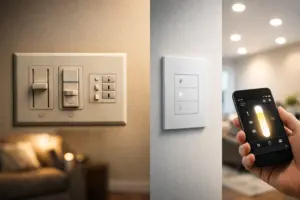
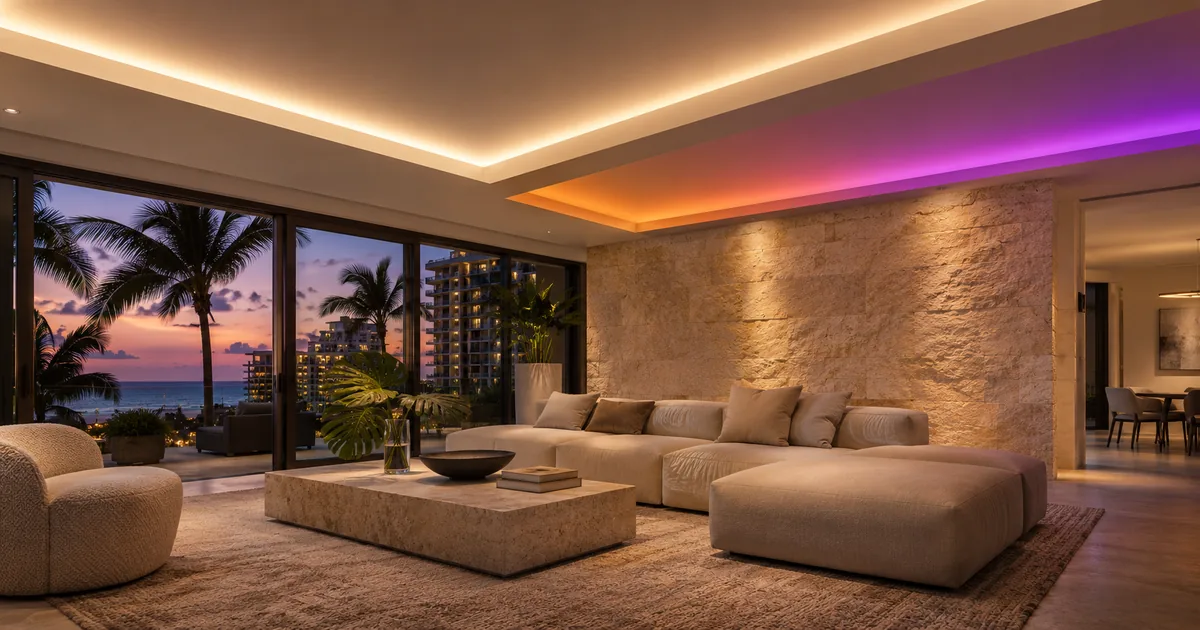
A ceiling cove can provide quiet white light for everyday use and a stronger color effect for entertaining. Those two experiences may appear to come from one continuous line of light, yet the control design behind them can be quite different. Before ordering LED tape or drivers, decide which equipment controls brightness, color and white light—and which system recalls the finished scene.
For a Miami Beach renovation or a new Boca Raton residence, the most useful discussion happens before the ceiling detail is closed. The lighting designer, electrician and Lutron integrator need to approve the same fixture and control arrangement.
Define the everyday white-light requirement first
Start with how the cove should look during ordinary use. Is it intended to supplement room lighting, create a soft evening perimeter or provide a decorative effect? If the household expects a particular quality of white light, that expectation should influence the fixture selection rather than being left to the programming stage.
RGB, RGBW and other multichannel products do not all generate white light in the same way. A separate white channel creates a different design choice from mixing red, green and blue. The fixture’s actual light output, color quality and control capabilities require review with the selected product.
Request a representative sample in the intended cove detail when appearance matters. The same light source can look different behind a shallow lip, against a colored ceiling or reflected from polished stone. A control demonstration should complement that physical sample, not replace it.
Do not confuse dimming with color control
An ordinary dimming connection does not establish the ability to choose colors. The driver, fixture channels and supported control interface determine the available adjustments. Reducing power to a light source is a different operation from instructing a multichannel driver to produce an agreed color.
The equipment schedule should therefore identify the fixture or tape, driver, power supply where separate, control protocol and Lutron interface. If another manufacturer’s controller is involved, include it explicitly. “Lutron compatible” is too broad to explain the complete signal path.
Also clarify how the white channel is controlled. A proposed RGBW product should not be treated as a three-channel RGB fixture simply because an interface example uses three channels. The mapping must match the actual driver and the selected platform’s supported configuration.
Confirm the interface for the exact Lutron platform
Lutron publishes guidance on color tuning and specific interfaces. For example, the QSE-CI-DMX documentation describes defined channel-mapping arrangements and supported system contexts. That is a reason to check the exact application, not a basis for promising that any Lutron dimmer or system can operate any color-changing fixture.
Ask the integrator to document the selected platform, interface and proposed mapping. If an interface has configuration limits, those limits belong in the design review. Any required additional controller or translation layer should have an identified support responsibility.
The homeowner does not need to become a lighting programmer. They do need a clear answer to a practical question: when a keypad button is pressed, which device sends the instruction that changes the cove’s color and brightness?
Decide where presets are stored and recalled
One scene name can conceal several separate instructions. A dinner preset might set architectural downlights, decorative pendants and the cove. Determine whether the cove’s color values are stored in the lighting system, an external controller or another supported part of the design.
Choose one agreed method for recalling those values. If a Lutron keypad calls a preset stored elsewhere, document that dependency. If the installation also includes Savant, Control4 or another automation system, decide which system owns the everyday lighting scene rather than maintaining several conflicting versions.
The scene schedule should describe the visible result in plain language. “Warm perimeter at a low level” is a useful homeowner description, but commissioning still needs the actual settings recorded in the appropriate system. The approved result should be repeatable after an ordinary power cycle or service visit.
Make everyday controls easier than color editing
Most households do not want to mix colors every time they enter a room. A small set of useful presets can make the installation easier to live with. Consider an everyday white setting, an evening setting and one or two deliberately chosen entertaining looks.
Decide whether homeowners will be able to edit those colors themselves and through which interface. Some changes may be appropriate in an owner app; others may require dealer configuration. The proposal should distinguish choosing among supplied presets from creating new ones.
Retain a straightforward way to return to the ordinary white-light condition. Guests and housekeeping should not need to remember which color picker or third-party app restores the room’s normal appearance.
Coordinate the physical installation with the control design
The best interface choice cannot correct an inaccessible driver, poorly placed power supply or unevenly illuminated cove. The electrical and lighting design should address installation conditions, suitable equipment access and the manufacturer’s requirements for the actual lengths and loads.
Show the location of serviceable components before ceilings and cabinetry are finished. Confirm which trade supplies and installs each item. If LED tape, channels and drivers are purchased through different parties, name the person responsible for confirming that the combination works together.
Avoid substituting a driver after approval without checking the control method. Two products that both power the same type of tape can expose different channels or behave differently when receiving commands.
Demonstrate the entire room before acceptance
Test the selected white-light setting, each supplied color preset, ordinary dimming and the transition between scenes. Operate the room from the interface the family will actually use. If multiple systems participate, verify the complete sequence rather than showing each component separately.
Sentry Audio Video can coordinate the Lutron lighting design and control scope with your lighting designer and electrician. Call (305) 502-0003 for Miami Beach or (561) 717-3280 for Boca Raton. Bring the fixture and driver specifications; our LED dimming sample-test guide covers the related task of evaluating a proposed lighting combination.
Manufacturer and technical references
Technical references reviewed November 19, 2026. Confirm the exact equipment, software and licensing requirements for your project before ordering.