
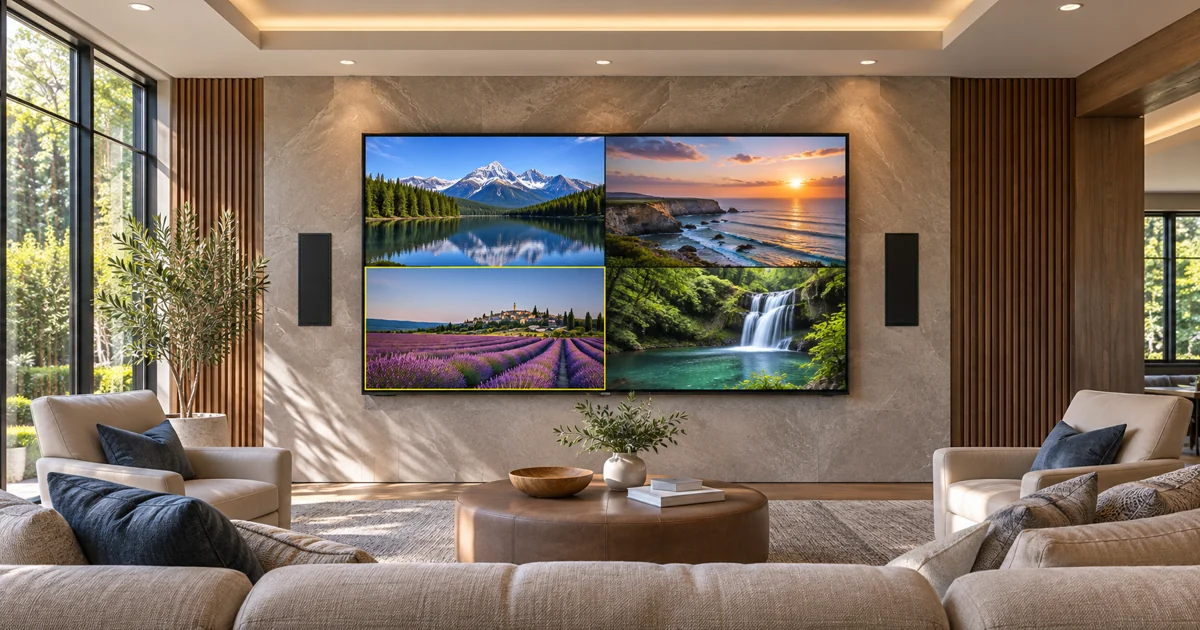
Several programs on one television can be a compelling feature in a premium media room, but it requires more than a new touchscreen layout. Before ordering a Crestron Home Multiview installation, establish whether the proposed endpoints, software, displays and sources support the intended result. Equipment called DM NVX should not automatically be treated as Multiview-capable.
Sentry reviews these decisions through its Crestron installation and programming service. This guide concerns the equipment and viewing experience for multiple sources on one screen. Network multicast design and approval of a custom interface remain distinct parts of the overall project.
Define what the owner wants to watch List the sources that should appear together and the layouts the household would use. A room showing several sports broadcasts needs a different acceptance demonstration from a single full-screen movie activity. Identify the preferred full-screen option and how the user returns to it.
Include the source-control experience. Seeing a source in a window is not the same as having the remote currently control that source. The owner should understand how the active source is selected, which picture receives commands and what indication makes that selection clear.
Check the exact endpoint and software requirements Current Crestron Home documentation identifies Multiview requirements including Crestron Home OS 4.12 or later, DM NVX firmware 7.3.5 or later and specified DM-NVX-384 or DM-NVX-385 models, including their documented card variants, at the relevant source and display connections. These requirements should be rechecked for the project’s current software and hardware.
The practical buying step is a complete endpoint schedule. Record the transmitter or transceiver serving each included source and the decoder or transceiver at the display. Mark retained equipment separately from new purchases. One compatible endpoint does not establish a compatible path for every source in the proposed layout.
Review picture-format limitations before purchase The manufacturer’s Multiview guidance identifies format restrictions, including limitations involving HDR formats. A product’s capability during ordinary full-screen distribution should not automatically be applied to its Multiview operation. Ask the designer to explain what happens to the content and displays you intend to use.
Have the proposal describe the accepted Multiview picture and the supported route back to the desired full-screen activity. Include display input requirements and source compatibility in the equipment review. Do not select a television based only on its screen size and assume the rest of the signal path will follow.
Choose the active audio deliberately Several visible pictures do not mean several soundtracks should play at once. Crestron’s Home guidance describes selecting the source whose audio is heard while using Multiview. Ask for that choice to be demonstrated with the room’s proposed audio path and controls.
Decide how the current audio source is indicated and whether the household wants a quick way to change it. The accepted behavior should be understandable from the normal interface. A layout drawing alone cannot establish that the audio routing will feel clear during everyday use.
Treat the network review as related work Multiview equipment still belongs in a deliberately designed local network. The installer needs to evaluate the exact endpoints, streams, switches and routes involved. That assessment should be reflected in the proposal where retained infrastructure needs improvement.
Our DM NVX network-planning guide explains the separate network-capacity discussion. This article does not replace that review or suggest that faster internet alone provides the required distribution infrastructure.
Put commissioning into the equipment scope Ask the installation team to demonstrate the agreed layouts with the intended sources. Check source selection, remote-control focus, the active audio, normal full-screen viewing and a return to Multiview. Include any documented restrictions that affect the owner’s regular activities.
For an existing system, the assessment should identify the change process and the equipment that must remain available during work. A software update or endpoint replacement should be planned and performed by the qualified team, with the owner informed of the expected interruption. Do not approve a general update allowance without the actual supported configuration being identified.
Plan the media room around confirmed capabilities Keep the final source list, endpoint models, software record, accepted layouts and operating notes with the project documents. These records make future expansion easier to assess and prevent later equipment substitutions from silently changing the promised experience.
For a new Crestron media room or a qualified upgrade in Miami, Miami Beach, Fort Lauderdale or Boca Raton, request a Sentry project assessment. Call (305) 502-0003 for Miami Beach, (954) 859-6475 for Fort Lauderdale or (561) 717-3280 for Boca Raton. Sentry can define equipment, integration and commissioning in one written scope.
Manufacturer references
Technical references reviewed November 13, 2026. Confirm current product, software and installation requirements for the specified project.