A faster internet subscription does not automatically improve video traveling between Crestron DM NVX devices inside a property. Internet service and the local network perform different jobs. If an upgrade introduces AV-over-IP video, the design needs to account for how those streams cross switches and reach the intended receivers, including multicast behavior where required.
For a South Florida home or commercial project, start with the video routes the owner needs. Identify which sources can feed which displays at the same time. Then have the local network assessed against the exact DM NVX models and current Crestron design guidance. The useful question is whether the network can carry the proposed system predictably, not simply whether a speed-test result looks impressive.
Draw the video path inside the property
List the encoders, decoders, switches and uplinks used by each intended route. Identify equipment in secondary racks, guest buildings or other areas where streams cross a shared link. A network can look fast at an individual port while a common uplink carries several simultaneous demands. The design must consider those paths together.
Keep the source service separate from the distribution system. An internet streaming player needs sufficient internet service for its content. Once its output enters the local video distribution system, the network requirements for moving that video are a different part of the design. Improving the first does not prove the second is adequate. Both can matter, but they should be evaluated independently.
Understand why multicast needs deliberate configuration
Multicast allows a stream to be delivered to interested receivers without treating every destination as an unrelated internet download. Switch behavior determines where that traffic travels. Crestron’s AV-over-IP network guidance discusses multicast design and related network requirements. Use the instructions that apply to the selected products rather than a generic recipe copied from another installation.
IGMP snooping and querier planning are examples of details a qualified network designer may need to address. They should be coordinated across the relevant switching topology. This is not an instruction to toggle settings at random, disable network protections or buy the largest switch available. The configuration must match the actual system and coexist with the property’s other network services.
Inventory the existing switches before ordering
Record exact switch models, firmware, port speeds, available uplinks and current configuration. Identify which switches actually carry video traffic; a router brand name alone does not describe that path. Check manufacturer support and Crestron guidance for the proposed application. A device that has sufficient nominal port speed may still be unsuitable for the required operational behavior.
The review should also cover available ports, equipment power, rack space and documentation of existing services. If a network supports business operations, cameras or building systems, changes need a coordinated plan. Avoid treating a live property as an empty test bench. Preserve the existing configuration and agree on a maintenance window where needed before implementing a redesigned topology.
Size for simultaneous use, not one successful screen
A single source on a single display is a useful starting test. It does not prove the busiest expected configuration. Define the maximum realistic combination of sources and displays, then evaluate the streams and uplinks required. Exact bandwidth and feature requirements depend on the chosen products and settings; do not apply one universal number to every DM NVX generation.
- List the sources, encoders, decoders and display locations.
- Map the switches and uplinks each video route crosses.
- Identify simultaneous viewing requirements and shared paths.
- Confirm multicast design against current Crestron documentation.
- Review switch support, firmware, power and spare capacity.
- Include route changes and ordinary non-AV network activity in testing.
In a hypothetical estate, several displays may work individually but develop problems when different sources are used across two racks. The shared local link and its configuration deserve investigation before changing the internet plan. A documented route map helps isolate the constraint. The same logic applies to a meeting facility or hospitality space with multiple displays and overlapping usage.
Define acceptance around the owner’s actual routines
Test the agreed viewing combinations and transitions. Include switching sources, starting a room from an off state and restoring normal operation after an agreed controlled restart. Confirm the intended audio route as well as the picture. If management or control traffic uses additional systems, verify those paths too. Video transport alone does not prove the whole room experience.
Record exceptions clearly. A stable picture during a short demonstration is not a guarantee of every future condition, but a repeatable test plan provides better evidence than a casual walk-through. Retain the tested equipment versions and configuration records privately. The owner should receive understandable operating instructions and a support contact without having to manage switch settings themselves.
Keep future changes visible
Moving an encoder, adding displays or replacing a switch can change the network assumptions. Ask that future AV additions be reviewed against the same route and capacity plan. General IT changes should also be coordinated when they affect the video network. A well-documented installation makes those conversations easier and reduces the temptation to troubleshoot by guesswork.
Buyer questions
Should I upgrade the internet service first?
Only if the evidence identifies an internet-service limitation for the content or services being used. For local DM NVX transport, assess the local switching and configuration separately. A speed test is not a multicast-design test.
Does every Crestron system require the same network design?
No. Confirm the exact equipment and architecture. DM NVX video distribution, other Crestron products and the control system can have different requirements. The proposal should identify what is being retained, what is being added and which documentation governs the design.
Plan the next step with Sentry Audio Video
For a South Florida project, start with our Crestron installation and programming service. Sentry Audio Video can review the existing equipment, define the proposed change and identify the tests needed before ordering. Request a project review and include the equipment models, room or camera locations, and the outcome you want.
Related planning: Crestron installation and programming services.
Manufacturer and technical references
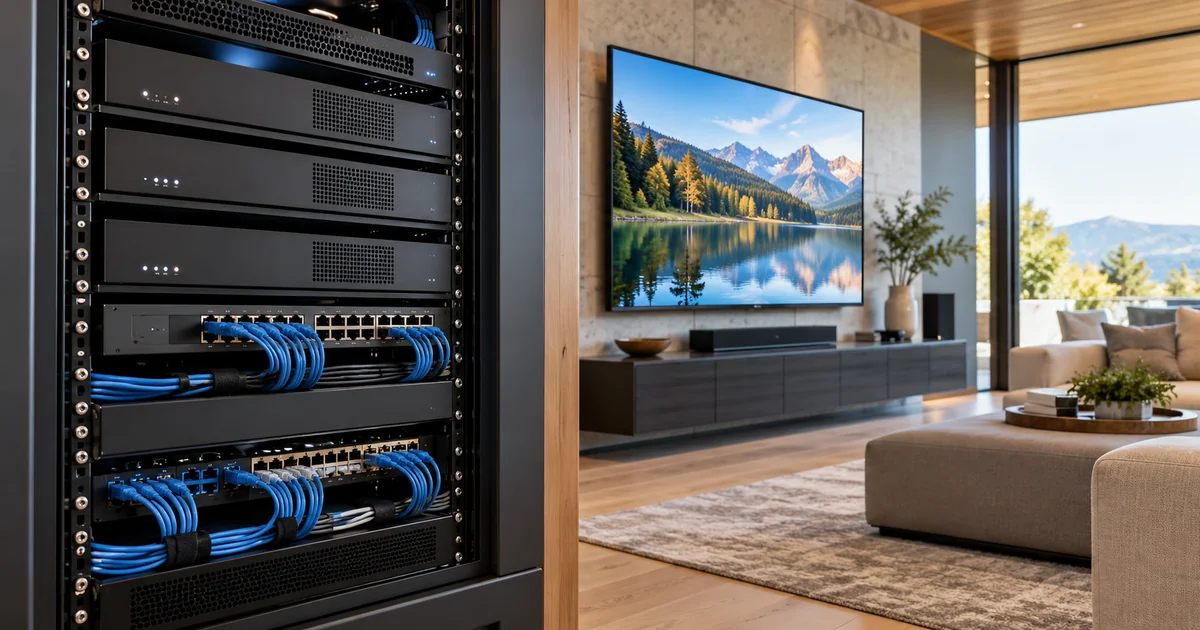
Technical sources reviewed October 23, 2026. Confirm exact model, software, licensing and project requirements before purchase. Featured image is an AI-generated illustration, not a photograph of a Sentry customer project.