Choose a Control4 remote by trying the tasks your household performs most often, not just by comparing its appearance. Physical buttons, a touchscreen, room selection and charging habits can change how comfortable a remote feels every evening. The useful purchase decision is which supported interface makes your particular room easier to operate.
Plan your Control4 project
Tell us which room the remote serves, your main television or streaming sources and what feels difficult today. We can review the installed system and compare the appropriate supported interface options.
Request a Sentry Audio Video consultation Call (561) 717-3280
For a new installation or interface upgrade, review the exact remote, installed Control4 controller and software, connected sources and intended functions together. A current remote is part of a configured system; buying the handset alone does not establish compatibility or complete the programming.
Start with the controls the family uses repeatedly
List the common tasks: selecting a television source, changing channels, adjusting volume, pausing playback, opening a guide or preparing the room for a movie. Note which tasks happen in a dim room or while the user is looking at the television.
Some people value dedicated physical buttons they can locate by feel. Others prefer on-screen favorites or a more visual menu. A brief demonstration using the intended source equipment is more useful than assuming that one interface style suits every person.
Include guests and less frequent users in the discussion. A remote that works well for an enthusiastic owner can still be confusing for someone who visits occasionally. The system should provide a straightforward normal path for starting, using and shutting down the room.
Compare exact models rather than the word “touchscreen”
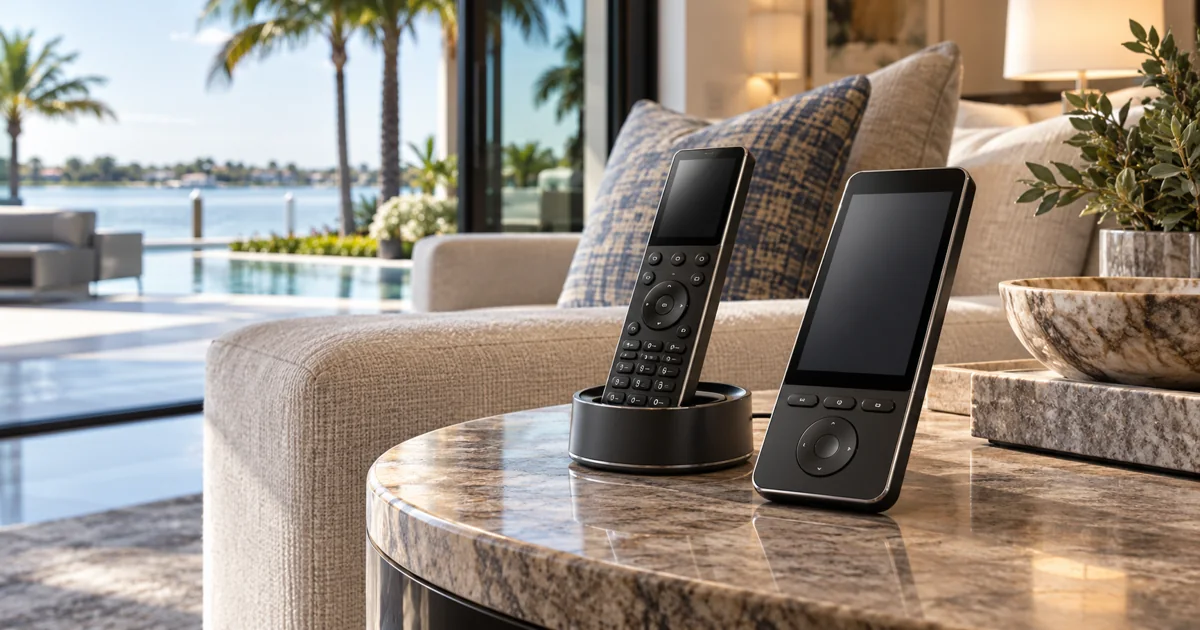
Control4 publishes separate information for its Halo and Halo Touch remotes. The selected model’s current button layout, screen functions and supported features should guide the comparison. Do not assume every handset with a screen offers the same interaction.
Try navigating menus, finding a favorite and performing the household’s most common playback task. Evaluate text readability and the number of steps involved. A larger-looking screen is not automatically the most practical choice for a person who regularly uses dedicated buttons.
Keep the comparison specific to the installed configuration. Available functions can depend on the Control4 software, source device, driver and programming. Confirm any advertised voice or shortcut feature for the actual source instead of promising that it controls every streaming app.
Decide whether the remote belongs to one room or several
A remote kept beside a family-room sofa has a different job from one carried between a bedroom, terrace and guest area. Discuss where it will normally live and which rooms the user should be able to select.
Clear room names and an obvious current-room indication help avoid controlling the wrong television or speakers. If room switching is included, demonstrate it and show how to return to the normal room. Do not leave users guessing which location the handset is addressing.
For a property with several remotes, consider whether a consistent model and layout would reduce training. Matching every room is not mandatory, but any deliberate difference should reflect actual room use rather than an accidental mixture of purchases.
Review connectivity and charging at the installation location
Confirm the exact remote’s documented network and power requirements. Check the intended seating and docking locations, including areas separated by concrete walls or far from the network equipment. A successful test at the equipment rack does not prove normal operation at the sofa.
Choose a practical home for the charging cradle where applicable. It should be accessible, have the required power and fit the room without blocking everyday use. A rechargeable remote that is regularly left away from its dock can still create avoidable inconvenience.
Discuss the household’s preferred routine and any alternative control method. The aim is dependable operation, not a promise that a battery-powered device never needs attention. Do not quote battery life without the exact manufacturer’s conditions and model information.
Keep interface upgrades separate from system faults
A new remote can improve ergonomics and access to supported controls, but it will not automatically repair an unstable network, failing television connection or obsolete source configuration. Describe the current frustration precisely before deciding what to replace.
If commands fail from both an existing remote and another supported interface, the integrator should investigate the shared control path. If the problem is limited to the handset or its connectivity, a focused replacement may be appropriate.
For a takeover, owner-authorized access and the available project configuration must be reviewed first. The proposal should distinguish supplying and configuring a remote from broader troubleshooting or controller modernization.
Ask for setup, testing and training in the proposal
The purchase scope should name the exact remote, any required charging accessories, compatibility review, setup, programming changes and training. State whether source or controller work is included or would be additional after inspection.
At handoff, test the normal room-start sequence, source selection, volume, playback and shutdown. Check the requested shortcuts and any supported room-switching or voice behavior. Have the owner repeat the sequence instead of relying only on the installer’s demonstration.
Retain the model information and a short operating guide with the system records. If the family later replaces a streaming device or changes how a room is used, revisit the configuration rather than assuming the remote needs another replacement.
Choose a Control4 remote with installation support
Sentry Audio Video is an authorized Control4 dealer providing Control4 equipment sales, design, installation and programming. Existing systems can use our Control4 service and upgrade path. Call (561) 717-3280 for Boca Raton or Palm Beach, (954) 859-6475 for Fort Lauderdale, or request an interface consultation.
Manufacturer reference: Control4 remote-control product information. Verify the current specifications for the exact model and installed system.