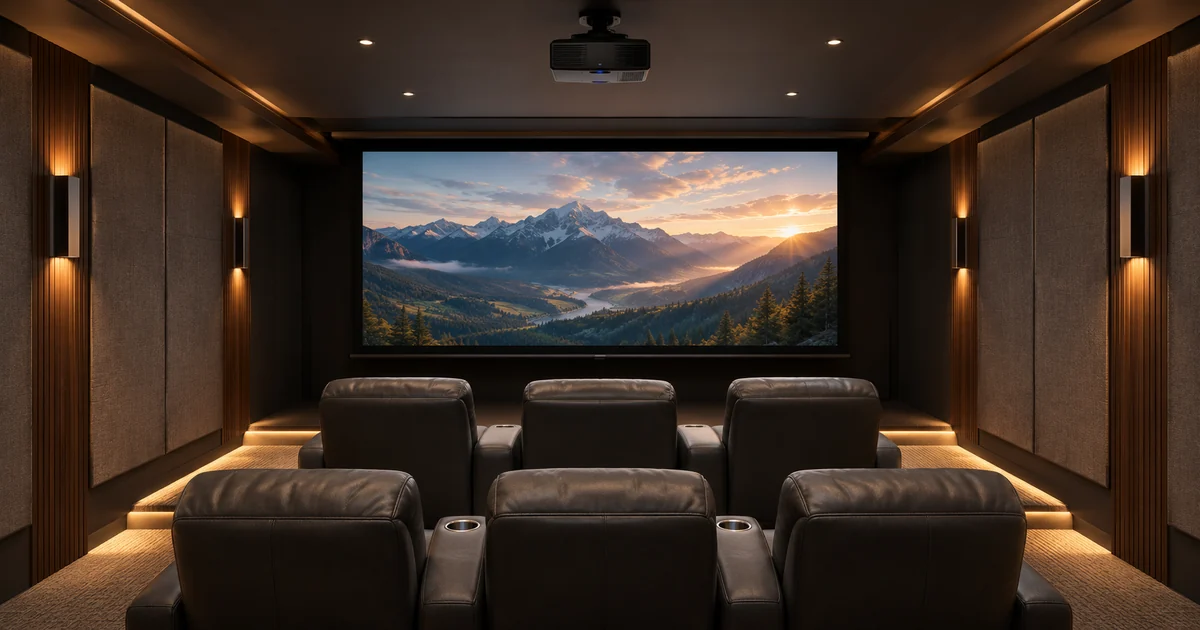
A new Savant theater should be easy to start even when the equipment needs time to become ready. Pressing Watch might involve a projector, motorized screen, video source, audio processor and room lighting. The buyer should agree on the sequence and the visible response before the installation is handed over.
The important purchasing question is what the room does between the first button press and a stable picture. For complete system planning and equipment, explore Sentry Audio Video’s Savant installation services. This guide concentrates on projector and screen behavior rather than comparing screen materials or theater layouts.
Define the starting conditions
Write a short description of the room before Watch is selected. Is the screen normally retracted? Is the projector in standby? Is a streaming source already running? Should lights remain bright enough for people to reach their seats? Different starting conditions can change the commands needed to produce the same viewing result.
Use the equipment that is actually proposed. The projector model, screen motor and interface, video path and control method should be identified before timing is accepted. A sequence demonstrated with one showroom combination does not prove that different equipment in the home will respond the same way.
Separate power, readiness and a usable picture
A projector receiving a power command is not the same as the projector displaying the intended source. The installation review should distinguish power state, readiness to accept another command and the presence of the correct picture. Ask which of those conditions the integration can observe and which are handled through a documented timing allowance.
The same distinction applies to the screen. A command to lower it does not automatically establish that it has reached the agreed position. The selected control interface determines what is available. Screen Innovations, for example, documents trigger and contact-control options for relevant equipment; the actual screen assembly and controller must still be checked for the project.
Agree on the room’s behavior during startup
The owner should know what to expect while waiting. An agreed activity might leave a practical lighting level in place until the room is ready, then transition to the selected viewing setting. Whether the proposed system can provide that exact sequence must be confirmed through the equipment and programming scope.
Also decide how any progress or status information will be presented. An interface should not report that the theater is ready merely because a fixed interval has passed if readiness has not been independently verified. When the design uses timing rather than feedback, explain that choice in plain language and demonstrate the ordinary result with the intended source.
Test repeated presses and changes of mind
People do not always wait patiently for a theater to start. A guest may press Watch twice because the screen is still moving. An owner may choose another source before the projector has completed its normal startup. Those are reasonable operating cases to discuss while the system is being specified.
Ask the programmer to define the supported response. A repeated request might be ignored, handled as the same activity or managed another way that suits the installation. Do not assume that every device can cancel and restart immediately. The acceptance demonstration should show what the homeowner will actually experience, including the route back to normal operation.
Treat shutdown as its own sequence
Off needs a definition as precise as Watch. Agree on when the source stops, what the audio does, how the screen returns and what lighting remains available for people leaving the room. Equipment shutdown requirements should guide the sequence rather than a desire to make everything go dark at the same instant.
Projector instructions are model-specific. Sony’s published instructions for the referenced VPL-XW series describe an indicator and fan sequence after shutdown and warn against disconnecting power during that condition. That example is a reason to follow the selected projector’s manual, not a universal cool-down time for every projector. Do not build an automatic hard power cut into the proposal without the appropriate equipment review.
Document the screen-control boundary
The screen manufacturer’s travel settings, mounting requirements and operating protections belong in the installation scope. A Savant activity can request supported movement, but it should not be represented as a replacement for the screen’s required setup or safety provisions. Clarify who commissions the screen and who programs the room activity.
Where an existing screen is retained, identify its motor and controller before assuming compatibility. The proposal should state whether assessment, an interface or replacement equipment is required. Treat that as a defined design decision rather than an unexplained programming allowance that becomes a surprise during installation.
Make the handoff demonstration specific
Test a normal start, a normal shutdown, a repeated Watch request and a change from another room activity. Use the installed source and the agreed projector settings. Observe the picture, sound, screen position and room lighting together. The owner should be able to follow the sequence without viewing the equipment rack or remembering a hidden technical step.
Provide a short operating guide describing expected delays and normal controls. Record which unexpected behavior should prompt a service request. Any later projector, screen-interface or source replacement should include a review of the affected sequence so the original acceptance assumptions do not silently become outdated.
Plan a Savant theater installation
For Miami and Miami Beach Savant projects, send the room plans, proposed projector and screen information, source preferences and construction stage. Sentry can review the equipment and programming scope as part of a complete installation proposal.
Request a theater consultation or call (305) 502-0003 for Miami Beach, (954) 859-6475 for Fort Lauderdale or (561) 717-3280 for Boca Raton.
Manufacturer references
- Savant smart-home and theater overview
- Sony VPL-XW series projecting and shutdown instructions
- Screen Innovations control-interface support
Technical references reviewed November 6, 2026. Confirm applicable product, software and installation requirements when specifying the project.