A front-gate alert loses much of its value if you have to leave the room, find an app, and wait for a camera feed to load. Can You Connect Your Security Cameras to Your Home Theater Display? Yes – and when the system is designed correctly, the camera view can appear on the display you are already watching, with simple control and dependable performance.
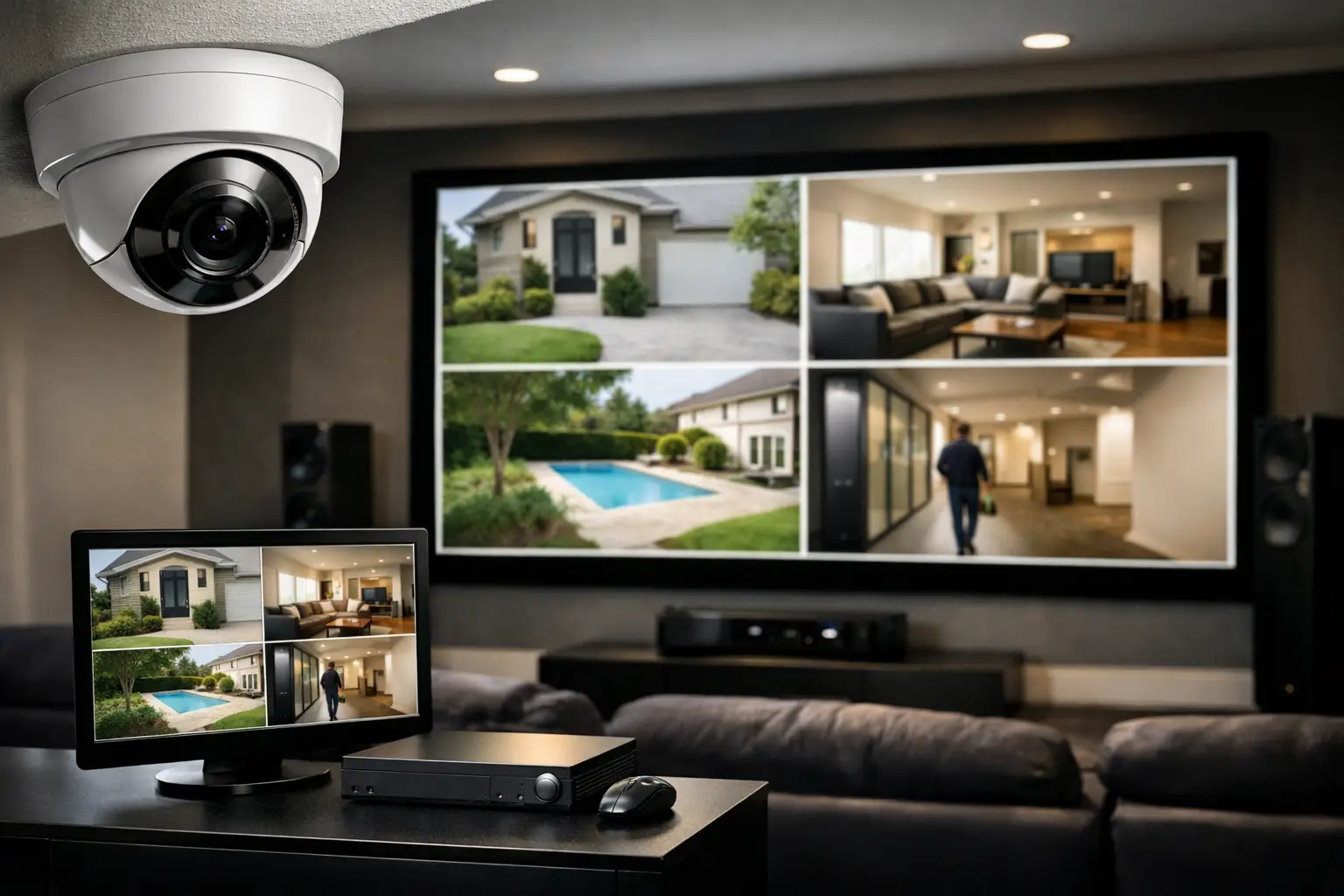
For a well-appointed residence, this is not about turning a theater screen into a wall of surveillance feeds. It is about making security information available at the moment it matters. A visitor at the entry, activity near the pool, a delivery at the service gate, or a vehicle entering the driveway can be viewed on a theater display, a family-room television, or selected displays throughout the property.
The quality of the experience depends on the integration behind the screen. Camera type, recording platform, video distribution equipment, network capacity, control programming, and privacy settings all play a role.
How Security Cameras Connect to a Home Theater Display
Most professional camera systems do not connect directly to a display with a single cable. IP cameras typically send video across the network to a network video recorder, often called an NVR, or to a dedicated video management platform. From there, the system must provide a video signal that the home theater system can recognize and distribute.
A common design uses an NVR with HDMI output connected to a video matrix switch. The matrix routes that camera output to the theater projector, television, or other designated displays. This approach is especially effective in homes with centralized AV equipment, where sources and displays are already managed from a dedicated rack.
Another option is to use a camera system or video processor that creates network video streams compatible with the home control platform. The control system can call up a selected camera when a doorbell is pressed, when a gate intercom is activated, or when the homeowner chooses a camera from a touchscreen or handheld remote.
The right approach depends on the property. A theater with a projector and a separate audio processor requires different planning than a media room with a large direct-view display. Likewise, a single primary residence has different needs than a waterfront property with multiple gates, docks, guest areas, and exterior living spaces.
What the Viewing Experience Can Look Like
The most polished systems keep the camera view useful without taking over the room. If someone rings the front doorbell during a movie, the front-door camera can appear as a picture-in-picture window over the current program. The household can see who is there without stopping the movie or searching through a separate interface.
For larger properties, a custom interface can provide a camera page with key locations such as the front entry, driveway, side yard, pool, rear patio, and perimeter gates. A homeowner may select a single full-screen view for closer inspection, then return to the entertainment source with one command.
There are also moments when automatic display behavior makes sense. An entry camera can appear on the closest active display when an intercom call arrives. A gate station can trigger a camera view while presenting controls to speak with the visitor or release the gate. The system should be programmed carefully, however. Not every motion event deserves to interrupt a movie, dinner, or private conversation.
For commercial environments, the same concept can support a reception area, conference room, office, or security station. The objective is operational awareness, not constant surveillance on every screen.
The Difference Between Camera Viewing and Camera Monitoring
Viewing a camera feed on a theater display is convenient. It should not be confused with a professionally planned monitoring strategy.
A home theater display is generally an on-demand destination. It is ideal for verifying an alert, checking an entry point, or reviewing a live area while the room is in use. A dedicated security display or touchpanel may be more appropriate where staff or household personnel need continual visibility of multiple cameras.
Recording is separate from display viewing as well. The NVR or video management system should be sized for the required camera count, image resolution, retention period, and recording rules. A large theater screen may show excellent live detail, but it does not replace properly configured recording, remote access permissions, or event notifications.
Technical Requirements That Affect Performance
Camera integration is only as reliable as the infrastructure supporting it. High-resolution cameras generate significant network traffic, particularly when several feeds are called up at once. A professionally designed system considers managed network switches, power-over-Ethernet capacity, wired connections, network segmentation, and adequate bandwidth between equipment locations.
Latency deserves particular attention. A brief delay may be acceptable when checking a driveway camera. It is less acceptable when speaking with a visitor through a gate or door station. The camera platform, encoder, NVR, control processor, and display path all contribute to delay. The design should prioritize low-latency paths for interactive entry points.
Video format compatibility matters, too. Camera systems may output HDMI, network streams, or proprietary formats. Theater equipment and video distribution systems have their own requirements for resolution, signal protection, audio handling, and display control. An experienced integrator verifies these details before installation rather than hoping unrelated products will communicate properly after the fact.
Power protection and backup are also worth planning. A power interruption can affect cameras, network switches, recorders, AV processors, and display controls at the same time. Properly selected battery backup can preserve critical functions long enough to handle short outages and allow equipment to shut down correctly during longer ones.
Privacy Should Be Designed Into the System
Adding camera access to entertainment spaces calls for thoughtful permissions. Not every camera should be available on every display, and not every household member, employee, or guest should have the same controls.
Interior cameras, if used, deserve especially careful treatment. Many property owners choose to limit their use to specific circumstances, such as vacant-home oversight or service access. Exterior areas, entries, gates, garages, and perimeter zones are more common candidates for theater-display integration. Privacy masks can block neighboring properties or other areas that should not be recorded.
A custom control interface can also prevent accidental access. For example, a guest-room television might offer doorbell video but not a full camera directory. A staff workstation may have access to assigned exterior zones while management retains broader system control. These decisions should be made during system design, not after cameras are already installed.
When a Theater Display Is Not the Right Destination
A projection system can be a dramatic place to view a camera, but it is not always the most practical. Projectors may require warm-up time, and a dark theater is not necessarily where a homeowner wants to verify an afternoon delivery. In many residences, the strongest solution includes camera access on several active displays, including the kitchen, family room, primary suite, and outdoor entertainment area.
Picture-in-picture capabilities also vary. Some displays and processors support an elegant overlay; others may need to switch the entire screen to the camera source. If preserving the movie or sports program is a priority, the video distribution and control design must support the desired behavior from the start.
The camera image itself also influences expectations. A camera placed to identify a face at the front door is not automatically positioned for a broad view of a driveway. Good coverage begins with camera placement, lens selection, lighting conditions, and scene design. The theater display can reveal more detail, but it cannot create detail the camera never captured.
Planning a Connected Security and Entertainment System
The most successful installations are planned as one property-wide system rather than as separate security and entertainment projects. During a renovation or new construction project, structured cabling should be installed for camera locations, display locations, equipment racks, wireless access points, door stations, and future expansion. This keeps visible equipment to a minimum and gives the system a clean, maintainable foundation.
For existing homes, an evaluation should begin with the current camera platform, recorder, network, theater equipment, and control method. Some systems can be integrated efficiently. Others may need an updated recorder, a video distribution component, or a control platform capable of presenting camera feeds reliably.
Sentry Audio Video designs integrated security and AV systems around how each property is actually used. The goal is straightforward: when a camera alert matters, the right image should be available on the right display without compromising theater performance, privacy, or the clean finish expected in a premium home.
A well-designed camera-to-display system gives you awareness without adding friction to daily life. Whether you are watching a film, hosting guests on the patio, or managing access to a larger estate, security should feel present when needed and stay out of the way when it is not.