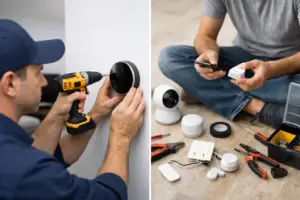
A Control4 door-station project should separate three functions in the proposal: seeing the visitor, speaking with the visitor and releasing a door or gate. A successful video call does not prove that the gate-release wiring, access equipment and permissions are ready. Define each function before purchasing so the installer and gate contractor have the same understanding of the finished system.
Plan your Control4 project
Share the entry type, existing intercom or operator information and where you want calls answered. We can define supported calling, permissions and release coordination before equipment is selected.
Request a Sentry Audio Video consultation Call (561) 717-3280
This is especially useful when upgrading an existing South Florida estate entry. The intercom, gate operator, pedestrian lock, network and household controls may have been installed at different times by different contractors. One new device does not automatically make the entire entry compatible.
Describe the entry experience before choosing equipment
Identify where calls should be received: an appropriate touchscreen, mobile device or other supported interface. Decide which people should answer and whether calls should reach someone away from the property. Confirm current product, software and subscription requirements for the proposed arrangement.
Then describe the release action separately. Is it a pedestrian door, vehicle gate or another entry? Should a user be able to view the visitor without having release authority? Those decisions influence permissions, equipment and testing.
A simple written sequence helps: visitor presses call, the approved interface alerts, the user answers, and an authorized person chooses whether to release the specified entry. Do not assume all those steps are included because a proposal uses the word “intercom.”
Inspect the existing gate or lock interface
The integrator should identify the operator or lock hardware, available control inputs and existing release arrangement. The gate contractor or other responsible professional should confirm the appropriate interface and any relevant requirements for that equipment.
Retained hardware must be evaluated before it is described as ready for reuse. A faulty strike, unreliable operator or damaged cable can make the new intercom appear defective even when the calling function works correctly.
Keep repair or replacement of existing entry hardware distinct from adding the supported control interface. The scope should state what happens if the retained equipment fails testing and how additional work will be approved. Do not promise that an unseen legacy entry can be integrated without inspection.
Coordinate network, power and cable routes
Check the exact door-station model’s network and power requirements against the installed cable and equipment. A cable reaching the entry pillar may be unsuitable, damaged or terminated at an unexpected location. Trace and test it before relying on it.
Exterior runs, long distances and separate structures can require a planned network and power approach. Review the actual route and installation conditions rather than assuming a generic indoor connection is sufficient.
Where PoE is used, verify the required standard and available switch or injector capacity for the selected device. Include appropriate mounting, weather exposure and service access in the design. Product ratings must be considered alongside the manufacturer’s installation instructions.
Keep access permissions deliberate
A person allowed to answer an intercom should not automatically be assumed to have every access-control privilege. Discuss household members, guests, property staff and remote users. Apply the supported permissions and control methods appropriate to the installed system.
Specify whether remote release is included and how authorized access is managed when a staff member leaves or a property changes ownership. Do not put passwords or sensitive access details in an ordinary operating sheet.
Automated gates and access hardware have their own safety and operating requirements. Video or app control is not a replacement for those protections. Work affecting the operator or lock should be coordinated with the responsible qualified professionals and applicable project requirements.
Agree on fallback operation
Ask how the household enters or assists a visitor when internet service is unavailable, a mobile phone is offline or the control system needs service. The answer depends on the installed entry equipment and should be demonstrated rather than assumed.
Keep supported local controls and the property’s normal authorized entry methods documented. A convenience integration should not leave the owner uncertain about ordinary operation during a service interruption.
Clarify the limits of battery backup or protected power if those are proposed. Supporting the intercom or network does not necessarily power the gate operator or lock. Each part of the entry needs its own reviewed power arrangement.
Test calling and release as separate acceptance items
Commission video, two-way audio where included, alert routing and the approved release action independently. Then run the complete visitor sequence from the actual entry to the interfaces used by the household.
Check the requested remote workflow as well as local operation. Verify that the release command addresses the correct entry and that the user can confirm what they are controlling. Document the accepted behavior and any remaining limitations.
For a takeover, retain the equipment information and authorized service contacts for both the Control4 and entry systems. Clear ownership helps prevent an intercom issue from being passed between contractors without anyone testing the full path.
Plan a complete Control4 entry installation
Sentry Audio Video is an authorized Control4 dealer providing Control4 equipment sales, installation and programming. We coordinate supported entry integration with the property’s security and access requirements. Call (561) 717-3280 for Boca Raton or Palm Beach, (954) 859-6475 for Fort Lauderdale, or request an entry-system consultation. Existing hardware compatibility and any repair scope are established through assessment.