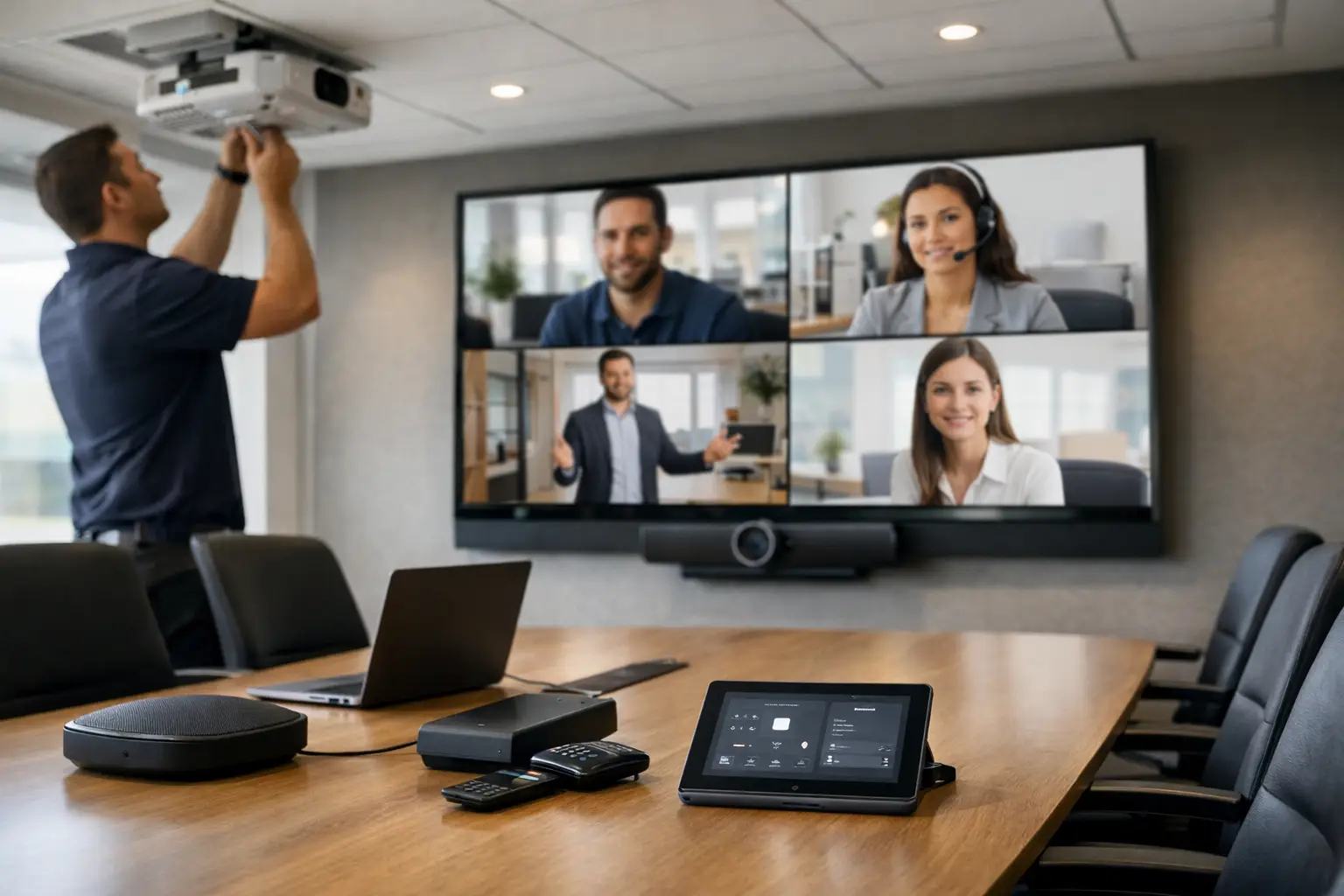
A meeting can lose credibility in the first 60 seconds. The display does not wake up, a remote participant cannot hear the room, or a presenter spends valuable time searching for the right input. A professionally planned conference room AV installation prevents those distractions and gives your team a space that is ready when the meeting begins.
For executive offices, conference centers, medical practices, hospitality venues, and client-facing businesses, the room itself is part of the experience. The technology should support clear communication without taking over the room, cluttering the table, or requiring an employee to become the on-call technician.
What a Conference Room AV Installation Should Accomplish
A well-designed meeting room is not defined by the number of screens on the wall. It is defined by whether people in the room and people joining remotely can see, hear, share, and participate without friction. That requires the display, camera, microphones, speakers, control system, network connection, and cabling to work as one coordinated system.
The right solution also reflects how the room will actually be used. A four-person huddle space has different needs than a boardroom used for investor presentations or a training room that hosts larger groups. Room dimensions, ceiling height, window placement, seating layout, acoustics, and available infrastructure all affect the final design.
This is why an off-the-shelf approach often creates problems later. Equipment may work individually, yet still fail to provide consistent sound coverage, an appropriate camera view, or an intuitive way to start a meeting. Custom integration addresses the full environment rather than treating the room as a collection of separate products.
Start With the Meeting Experience
The strongest AV plans begin with a few practical questions: Who uses this room? How many people typically attend? Will meetings be primarily in person, video-based, or hybrid? Do employees need to share content from their own devices? Is the room used for confidential discussions, training, sales presentations, or client consultations?
Those answers guide every major decision. A leadership boardroom may require a large commercial display, discreet ceiling microphones, premium speakers, a wide-angle camera with intelligent framing, and one-touch room control. A small meeting room may need a more compact display and an all-in-one video bar, provided the room geometry and expected call volume support that choice.
There are trade-offs. A single video bar can provide a clean, efficient solution in smaller spaces, but it may not deliver the microphone pickup or speaker coverage needed in a long conference room. Ceiling microphones preserve a clear table surface and create a more polished appearance, though they require proper placement, acoustic evaluation, and professional tuning. The correct answer depends on performance requirements, not a preset package.
Clear Audio Is the Standard, Not an Upgrade
Poor audio is one of the fastest ways to undermine a video meeting. Participants may tolerate a slightly imperfect camera angle, but they cannot collaborate effectively if voices are distant, echoing, or interrupted by room noise.
A proper design considers microphone coverage, speaker placement, reverberation, glass surfaces, open ceilings, and mechanical noise. Digital signal processing can help manage echo cancellation and balance voices, but processing cannot fully compensate for a room that has not been planned correctly. In spaces with challenging acoustics, design choices such as microphone type, speaker direction, and discreet acoustic treatments can make a meaningful difference.
Audio should also be scaled for the room. Overly loud speakers can be as distracting as weak ones. The goal is natural conversation at every seat, with remote attendees hearing the local room clearly and local attendees hearing remote voices at an appropriate level.
Video Should Serve the Room Layout
Display size and camera placement are decisions that should be made together. A display that is too small forces attendees to strain during presentations. One that is oversized for the viewing distance can dominate the space. In many rooms, display mounting height also matters as much as the screen size, particularly when attendees are viewing shared documents, dashboards, or detailed visuals.
Camera selection deserves the same attention. A fixed wide-angle camera can work well in a compact huddle room. Larger rooms may benefit from a pan-tilt-zoom camera that can frame the entire table, focus on a speaker, or support different seating arrangements. The goal is not to showcase equipment. It is to ensure remote participants feel included in the conversation.
Design for Simple, Reliable Control
Technology that takes several remotes, adapters, or logins to operate will eventually frustrate users. The most effective conference rooms offer a clear starting point: walk in, wake the room, select the meeting platform or presentation source, and begin.
A dedicated touch panel can bring display control, audio adjustment, camera settings, room scheduling, and source selection into one familiar interface. In simpler spaces, a carefully configured control solution may require fewer steps while still providing the consistency employees need. Either way, controls should be designed around common workflows, not technical terminology.
For example, buttons should say “Start Meeting,” “Share Presentation,” or “End Meeting,” rather than referring to inputs that only an installer would recognize. The interface should also protect the system from accidental changes while keeping essential functions within reach.
Cabling and Infrastructure Matter More Than They Appear
The cleanest conference rooms are usually the result of the most disciplined work behind the walls and above the ceiling. Structured cabling supports reliable communication between displays, cameras, microphones, control systems, and network-connected equipment. It also allows the system to be serviced, expanded, or upgraded without disrupting the finished room.
A professional installation keeps cables concealed where appropriate, equipment organized in an accessible location, and connections clearly labeled. This improves the appearance of the room, but it also protects long-term performance. When a service need arises, technicians can identify the signal path quickly instead of tracing a tangle of undocumented connections.
Planning infrastructure during construction or renovation is especially valuable. Wall backing, conduit paths, equipment locations, power requirements, and network availability should be coordinated before finishes are complete. Retrofitting is possible, but early planning provides more design flexibility and preserves the polished look premium spaces demand.
Integration With the Rest of the Workplace
A conference room does not operate in isolation. Depending on the property, the AV system may need to coordinate with network infrastructure, room scheduling, digital signage, access control, communications, surveillance, or lighting and shading controls. Bringing those elements into a coordinated plan reduces confusion and helps the space operate as intended.
Motorized shades are a good example. In a glass-heavy South Florida office, afternoon sunlight can wash out a display and make cameras struggle with contrast. Integrating shades into a presentation or meeting mode helps preserve screen visibility and creates a more comfortable environment without adding another task for the user.
Not every room requires extensive automation. A small internal meeting room may benefit more from a focused, dependable AV system than from a complex set of features that employees rarely use. The right level of integration is the one that makes the room easier to use and easier to support.
Why Professional Installation Protects Your Investment
Conference room systems are expected to work when a client joins, a team gathers, or a presentation has to begin. That expectation places a premium on design discipline, installation quality, system programming, and testing.
Professional integrators assess the room before recommending equipment, coordinate with other trades when needed, install components cleanly, configure the system for daily use, and test each function under real meeting conditions. This includes validating microphone performance, camera framing, display operation, content sharing, network connectivity, and control behavior.
Training matters as well. Even a well-designed room benefits from a brief handoff that shows employees how to start meetings, share content, adjust essential settings, and request support. Ongoing service provides an accountable path forward as meeting platforms change, staff needs evolve, or the business expands.
Sentry Audio Video approaches commercial AV as a complete integration project, from initial consultation through installation, programming, and continued support. That single point of accountability is particularly valuable for businesses that want high-performance technology without the burden of coordinating multiple vendors.
Plan the Room Before the Calendar Fills Up
Whether you are building a new office, renovating an executive suite, or upgrading a meeting room that no longer meets expectations, begin with the experience you want employees and guests to have. A thoughtfully designed room fades into the background, allowing conversations, decisions, and presentations to take center stage. Schedule a professional consultation early, and your conference room can be ready to perform long before the first important meeting arrives.