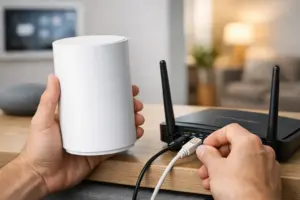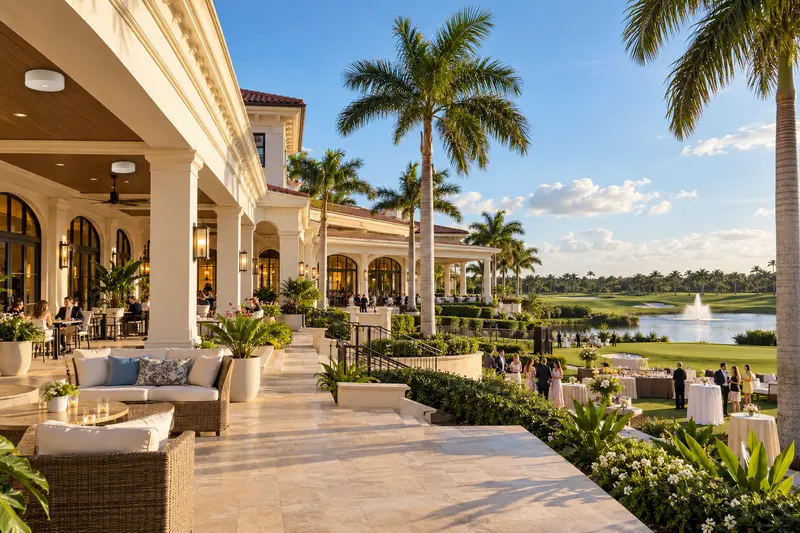
Country-club Wi-Fi has to serve several properties at once: a business network for staff, a guest service for members, an operational platform for point-of-sale and cameras, and an event network that may face a sudden surge in devices. Strong signal in the lobby does not prove the system can support a full dining room, tournament, wedding or pool event.
Capacity planning begins with the way the club operates. The correct design accounts for users, applications, building materials, outdoor areas, roaming, security and support—not simply the advertised speed of the internet connection.
Map the property by use and risk
Begin with a floor plan and an operational walkthrough. The clubhouse, dining areas, kitchens, pro shop, fitness center, spa, offices, locker rooms, terraces, pool, tennis or pickleball areas, maintenance buildings and event lawns have different coverage and device requirements.
Identify where transactions occur, where staff carry tablets or phones, where members expect service and where connected building systems operate. Concrete, impact glass, metal roofing, mirrors, stone and mechanical spaces can all affect radio performance. Outdoor coverage should be designed rather than assumed to spill through exterior walls.
Estimate concurrent use, not membership totals
A club does not need capacity for every member at once, but it does need realistic peak scenarios. Count staff devices, point-of-sale stations, displays, conference or event AV, cameras, access-control panels, printers and building systems. Then estimate member and guest devices during ordinary and event periods.
A wedding, holiday dinner or tournament can create a sharp increase in phones, tablets, streaming, photo uploads and vendor equipment. Temporary event requirements should be discussed before the event calendar is full, because a network designed only for weekday averages may fail at the most visible moment.
Separate traffic by responsibility
Member Wi-Fi should not share unrestricted access with financial systems, office computers, cameras or building controls. Network segmentation helps limit exposure and makes performance easier to manage. The design may use separate virtual networks, firewall rules and authentication policies for different groups.
- Business: management, accounting and administrative systems
- Operations: point-of-sale, printers, kitchen and staff devices
- Guest: member and visitor internet access
- Security: cameras, access control and related management
- Facilities: lighting, AV, climate or approved building systems
- Events: temporary vendors, production teams or dedicated guest capacity
Segmentation should be documented and tested. A long list of network names without clear policies can create more confusion than protection.
Design for roaming and predictable coverage
Members and staff move between rooms and outdoor areas. Access points should be placed and tuned so compatible devices can roam without clinging to a distant signal. More transmit power is not automatically better; excessive overlap and interference can reduce performance.
A predictive design is useful during construction, but existing clubs benefit from a measured wireless survey. Testing should consider both directions of communication. A phone may hear an access point even when its lower-powered radio cannot communicate reliably back to it.
Protect critical systems from guest demand
Guest traffic should not prevent a payment terminal, staff device or camera from operating. Appropriate bandwidth controls, traffic policies and wired connections for fixed devices can protect essential services. High-use AV systems and displays may also need dedicated wired infrastructure instead of relying on wireless convenience.
The internet circuit itself may need redundancy for important operations. A backup connection can reduce downtime, but only when failover is configured, tested and able to support the priority applications.
Coordinate Wi-Fi with AV, security and building systems
Modern clubs depend on one network for many departments. Distributed audio, digital signage, televisions, conference rooms, access control, surveillance and automation may all require switching, addressing and remote support. Those systems should be coordinated before racks and cable pathways become crowded.
Vendors still need defined boundaries. The club should know who manages the firewall, switches, access points, servers, AV processors and security devices. A responsibility map reduces delays when a problem crosses system lines.
Plan maintenance and lifecycle management
Enterprise Wi-Fi is not finished at installation. Firmware, configuration backups, equipment health, interference and capacity should be reviewed over time. New cameras, displays or member applications can change traffic patterns. Access points also age, and newer device standards may expose limitations in older switching or cabling.
Useful recurring checks
- Internet and backup-circuit status
- Access-point and switch health
- Channel use and interference
- Guest and operational traffic trends
- Configuration backups and documentation
- Firmware and equipment lifecycle
- Coverage complaints by location and time
Prepare for event-day support
For large events, document the expected attendance, vendors, streaming needs, temporary point-of-sale devices and outdoor zones. Test the production plan before guests arrive. Staff should also know the service contact and escalation process so the event manager is not diagnosing network equipment during the program.
Start with an assessment
A useful assessment combines floor plans, a site survey, network inventory, stakeholder interviews and peak-use scenarios. The result should identify immediate weaknesses, a realistic design and a phased path when the entire property cannot be upgraded at once.
Sentry Audio Video designs and supports enterprise Wi-Fi, structured cabling and connected systems for clubs, hospitality properties and commercial facilities in South Florida. Explore managed enterprise Wi-Fi, review business IT and recurring support, or request a technology assessment. Call (561) 717-3280 to discuss the clubhouse, amenities and busiest event scenarios.