A Control4 touchscreen that takes too long to respond, a remote that no longer controls every source, or an automation system that will not accommodate a new entertainment component can make an otherwise exceptional property feel dated. Can an older Control4 system be upgraded without replacing everything? In many cases, yes. The right answer depends on the age of the controller, the condition of the network, the wiring behind the walls, and the equipment your system is expected to manage.
A thoughtful Control4 modernization is not about replacing technology for the sake of it. It is about preserving the valuable infrastructure already in place while improving reliability, security, and day-to-day control. For a well-designed home or commercial space, that approach can protect prior investment and produce a significantly better ownership experience.
Can an Older Control4 System Be Upgraded Without Replacing Everything?
Control4 systems are designed as integrated platforms, which means they can often be refreshed in phases. The equipment in the rack may be older, but that does not automatically mean every component has reached the end of its useful life. Speakers, structured wiring, video distribution cabling, motorized shades, lighting hardware, and certain audio amplifiers may remain excellent candidates for continued use.
The central consideration is compatibility. Older Control4 controllers and interfaces may not support current software, newer streaming services, modern security requirements, or recently released third-party products. If the brain of the system is outdated, replacing that controller can create a path forward while retaining much of the surrounding infrastructure.
A professional review identifies which components still deliver dependable performance and which ones are holding the system back. This is especially valuable in larger residences, waterfront properties, and commercial environments where technology has been added in stages over many years.
What Can Often Stay in Place
The strongest candidates for reuse are the components that were professionally installed and remain physically sound. In many projects, the cabling infrastructure is the most valuable asset behind the walls. Category cable, speaker wire, fiber, and properly terminated coaxial cable can support an upgraded system, provided they have been tested and documented.
Whole-home speakers may also stay in service. High-quality architectural speakers do not become obsolete at the same pace as streaming platforms or control processors. If they are properly placed, functioning correctly, and matched with suitable amplification, they can continue to provide outstanding sound throughout the home, patio, pool area, or business.
Lighting systems, shades, surveillance cameras, door stations, and climate interfaces require a more careful review. Some can integrate with a new Control4 environment directly. Others may need updated drivers, interface modules, or select equipment replacements. The goal is not simply to make devices appear on a touchscreen. Every function should work consistently, respond promptly, and remain manageable over time.
The Components Most Likely to Need Replacement
The controller is often the first component to evaluate. It manages communication among the devices in your system and determines which software versions, drivers, and integrations are available. A legacy controller may still operate basic functions, yet lack the processing power or compatibility needed for current control experiences.
Networking equipment is another common limiting factor. A smart home is only as dependable as the network that supports it. Aging routers, unmanaged switches, poorly organized wireless access points, and insufficient network segmentation can cause symptoms that are frequently mistaken for Control4 problems. Delayed commands, intermittent streaming, cameras dropping offline, and inconsistent remote access may all begin with the network rather than the automation platform.
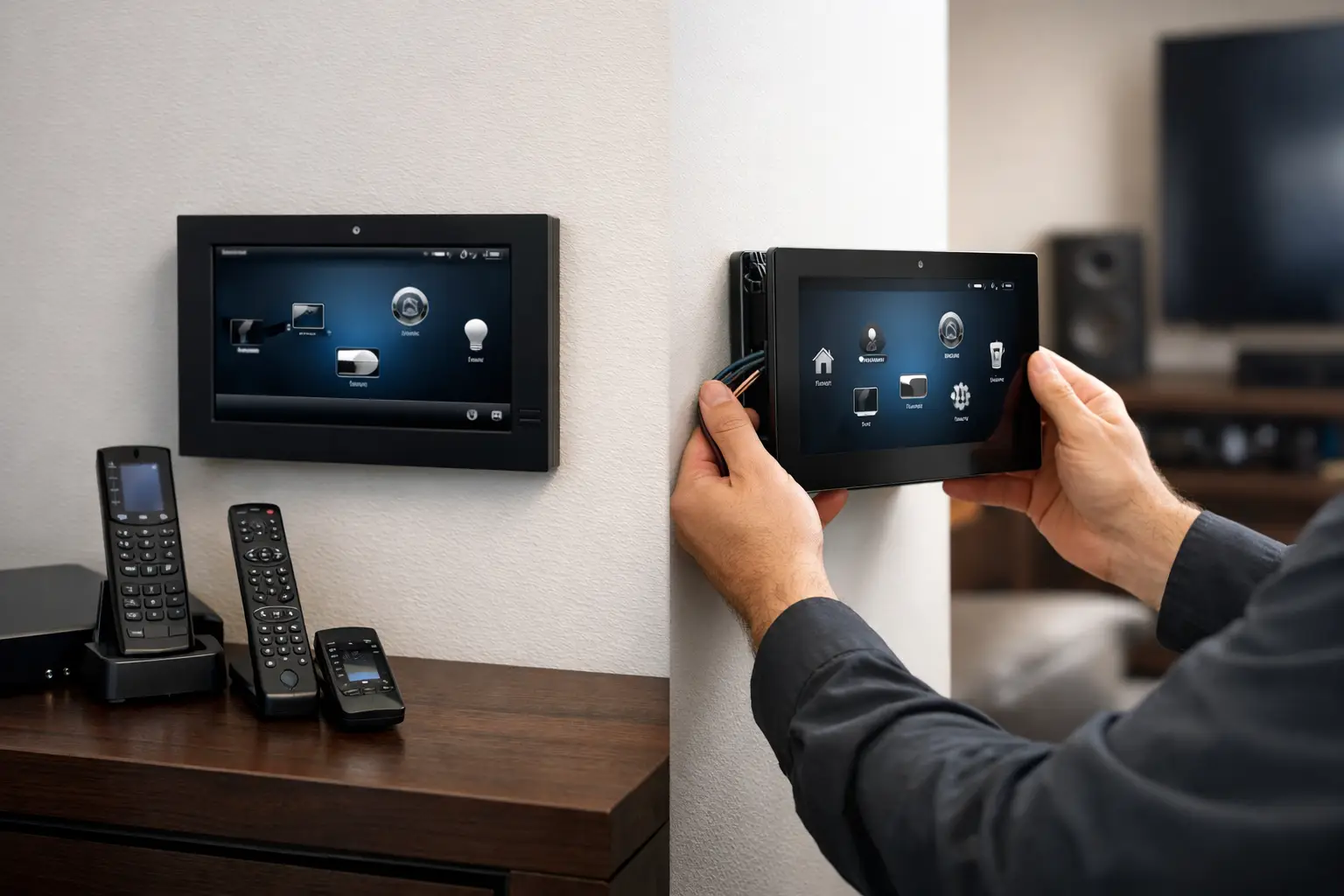
User interfaces also deserve attention. Older touchscreens may have aging displays, slower performance, or limited support for newer software. Updating keypads, handheld remotes, and touchscreens can make a familiar system feel substantially more intuitive without requiring a complete renovation.
Some legacy audio and video sources may also need to be updated. Modern content delivery, high-resolution video standards, and evolving source-device requirements can exceed the capabilities of older matrix switchers and distribution hardware. This is where a phased strategy is particularly effective: improve the most-used rooms and core equipment first, then extend upgrades as priorities evolve.
Why Software Alone Is Not Always the Answer
It is tempting to assume a software update will resolve every issue. Software is a critical part of any Control4 upgrade, but it cannot overcome hardware limitations or correct an unreliable network. In fact, installing new software on unsupported or marginal equipment can create more service concerns than it solves.
An upgrade should begin with a complete system assessment. That includes documenting controllers, network devices, audio and video components, lighting, security integrations, and all connected third-party products. The assessment should also consider how the property is used today. A family may now want simple access to outdoor entertainment and pool controls, while a business may need easier management of conference-room AV, surveillance, and communications.
This planning stage prevents a common mistake: spending on visible interfaces while leaving the underlying cause of system instability untouched. Quality integration starts with the infrastructure and ends with an interface that feels effortless to use.
A Phased Upgrade Plan That Protects Performance
For most established properties, a phased upgrade offers the right balance of performance and practicality. The first phase usually addresses the platform foundation: controller, network, software version, and critical power protection. This creates a stable environment for everything that follows.
The next phase can focus on the spaces that matter most. That might mean a primary living area, home theater, outdoor entertainment zone, conference room, or master suite. Upgrading those areas first gives you immediate daily benefits while maintaining a clear plan for the remainder of the property.
Later phases can modernize video distribution, add updated touchscreens, expand surveillance, integrate shades, or improve whole-home audio control. Because the work follows a documented design, each addition supports the larger system rather than becoming another isolated layer of technology.
There are cases where broader replacement is the responsible recommendation. If equipment is no longer supported, wiring has been compromised, the system was installed without proper labeling, or multiple generations of technology have been patched together, selective upgrades may only provide temporary relief. A trusted integrator should be candid about that distinction. Preserving equipment has value, but not if it compromises reliability or prevents the finished system from meeting expectations.
What a Professional Control4 Assessment Should Include
A proper assessment goes beyond checking whether a touchscreen powers on. It should evaluate the health and layout of the network, confirm the model and support status of each controller, test existing cabling, review rack organization and ventilation, and identify every critical integration.
It should also clarify the ownership experience after the work is complete. Will the system offer one consistent interface throughout the property? Can household members or staff use it without calling for assistance? Are remote support, maintenance, and future expansion part of the design? Those questions matter as much as the equipment list.
For properties in South Florida, the assessment should also account for outdoor zones, humidity-exposed equipment, gate access, pool integration, and the demands of seasonal occupancy. A polished upgrade is designed around the property and the people who use it, not around a generic package.
The Value of Keeping the Right Pieces
A successful Control4 upgrade should feel like a meaningful improvement, not a collection of disconnected replacements. Keeping high-performing speakers, wiring, shades, or lighting components can preserve the craftsmanship already built into the property. Replacing the controller, network foundation, and select interfaces can then deliver faster response, stronger compatibility, and a more refined control experience.
Sentry Audio Video approaches these projects with the same standard applied to a new installation: clean execution, dependable performance, and a system designed to serve the property for years. The most useful next step is a professional evaluation that separates valuable existing infrastructure from equipment that has genuinely reached its limit. With a clear plan, an older Control4 system can often become the foundation for a far more capable home or business experience.