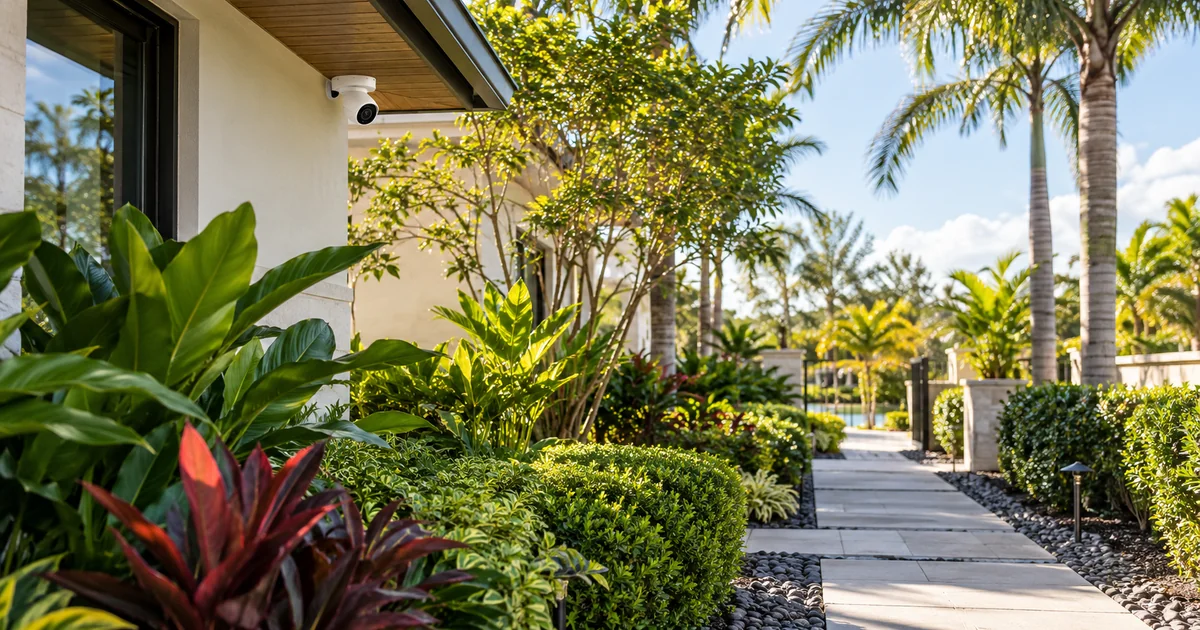
A camera’s picture can remain online after landscaping work while its analytic coverage becomes less useful. A new hedge may hide part of a person. A growing palm can obstruct an approach. A relocated landscape light can alter the scene after dark. When the scene changes, the detection zones and acceptance tests deserve another review.
This is recommissioning after a specific property change, not an argument that every camera needs replacement. Start by comparing the new scene with the original coverage objective. Identify which approaches still matter, where objects become visible and whether the existing camera can observe them reliably. Then adjust the design or configuration as needed and verify the recorded result.
Identify changes that affect the camera’s task
Keep a short list of modifications near watched areas: new plants, pruning, large planters, relocated paths, new gates, lighting changes and altered parking. The physical camera may not have moved, but the path people take through the image can change. Tell the service provider what was modified and when. Include the original coverage purpose if it is known.
Axis’s analytics documentation, for example, notes that object visibility and scene conditions affect detection, including obstruction by foliage. That principle should guide a site review, not become a promise that one setting can compensate for every blocked view. If the required subject is hidden, changing sensitivity cannot create the missing line of sight. Physical coverage may need attention first.
Review the image before redrawing zones
Look at the actual image during the relevant conditions. Check whether the important approach is visible from its beginning and whether people or vehicles remain sufficiently visible at the intended distance. Review image stability, glare and reflections where relevant. Avoid starting with filters simply because the interface makes them easy to change.
A hypothetical new hedge beside a gate illustrates the issue. The old test may have detected a person approaching from the sidewalk. The new hedge might reveal the person only after the gate is reached. Redrawing the polygon over the hedge does not restore the lost view. The installer should first consider the sightline and the coverage objective, then determine whether configuration changes are enough.
Revisit the detection geometry
Once the image can support the task, review inclusion areas, exclusion areas and crossing lines. Compare them with the revised path and the analytic feature being used. A line intended to count or detect entry should relate to how people now move, not merely remain in the same screen position as the old configuration. Record the reason for any change.
Do not apply every available filter at once. A filter that reduces nuisance events can also suppress an important target if poorly matched to the scene. Use the manufacturer’s guidance for the exact analytic and test after each material adjustment. The owner should understand the intended event, not have to manage a collection of unexplained sensitivity settings.
Retest the conditions landscaping actually changed
Daylight and after-dark behavior may differ. Plants can cast shadows, exterior lights can create glare, and nearby foliage can affect infrared scenes. Inspect the normal nighttime lighting arrangement rather than a temporary work light. If a change introduces moving branches or leaves into the image, evaluate the applicable manufacturer guidance and real site conditions.
- Walk the intended entry and exit paths at ordinary speed.
- Check newly obstructed areas and the revised edge of coverage.
- Include a person or vehicle appropriate to the agreed detection task.
- Test outside the intended area to assess the zone boundary.
- Repeat important scenarios under normal night lighting.
- Confirm the event, recipient notification and recorded footage separately.
Use safe, authorized test activities. Do not stage a dangerous vehicle movement or enter a neighbor’s property to make a demonstration more realistic. If an important condition cannot be reproduced, record that limitation and plan a suitable follow-up. Clear test boundaries make the result more credible than claiming that a brief visit proves every weather or seasonal condition.
Keep nuisance reduction separate from missed-event investigation
When the complaint is too many alerts, inspect what caused them before narrowing the detection area. When the complaint is a missed approach, inspect visibility and event generation before changing phone settings. These are different investigations. Keep detection, delivery and recording as separate checks so a problem in one stage does not lead to unnecessary changes elsewhere.
The owner can help by noting the date, camera location and example event. Do not post private surveillance footage publicly to request support. Provide relevant material through the agreed secure service process. A short, specific description gives the installer a useful starting point while protecting occupants and visitors.
Update the private coverage record
After recommissioning, retain the revised view, relevant configuration information and test outcome in controlled project records. State any area that can no longer meet the original task and the recommended remedy. If another camera position or lighting change is needed, present it as a defined scope with a clear purpose rather than a generic system replacement.
Coordinate future landscape work with that record. The landscaper does not need confidential network access; they may simply need to know that a particular sightline should remain clear. The property manager can include a camera review when major planting, pruning, gate or lighting work is completed. This makes camera performance part of the property-change process.
Buyer questions
Does new landscaping always require a new camera?
No. A review may confirm the current view, lead to a supported configuration adjustment or identify a physical obstruction. Replace or relocate equipment only when the required task and evidence justify it.
Is a visible live picture enough to approve the change?
No. Test the agreed analytic event and review the saved footage. If notifications are required, verify them too. The objective is continued useful coverage after the scene changes, not merely confirmation that the camera is powered on.
Plan the next step with Sentry Audio Video
For a South Florida project, start with our video surveillance design and upgrades service. Sentry Audio Video can review the existing equipment, define the proposed change and identify the tests needed before ordering. Request a project review and include the equipment models, room or camera locations, and the outcome you want.
Related planning: camera health and monitoring responsibilities.
Manufacturer and technical references
Technical sources reviewed October 23, 2026. Confirm exact model, software, licensing and project requirements before purchase. Featured image is an AI-generated illustration, not a photograph of a Sentry customer project.
From our Google reviews
“Brian and his team did an outstanding job installing our security cameras.”
Security camera installation
Google review excerpt