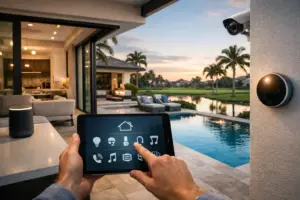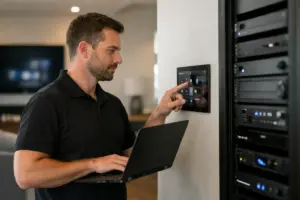
Plan where microphones belong—and where they do not—before installing Josh.ai. A homeowner may welcome hands-free lighting control in a kitchen while preferring conventional controls in a bedroom or private office. The right installation respects those choices and provides a clear, demonstrated way to mute the selected microphones.
Plan your Josh.ai project
Tell us which rooms should have voice control and where you prefer conventional controls. We can review the selected devices, mute operation, current privacy information and supported alternatives with the household.
Request a Sentry Audio Video consultation Call (561) 717-3280
Privacy planning is a product, configuration and household-use discussion. It should not be reduced to a blanket promise that every function is local, that nothing is ever transmitted, or that one mute action disables every connected system. Verify the current manufacturer’s information and the exact installed behavior.
Make a room-by-room microphone decision
Start with the places where the household genuinely wants to use voice control. Kitchens, living spaces and other shared areas may have different expectations from guest bedrooms, offices or rooms used for confidential calls.
Ask who will use each area and how often. A location convenient for the owner may be uncomfortable for a guest or a household member. Decide whether a room needs an always-available microphone, a handheld control option or no microphone at all.
Keep the decision separate from the broader automation scope. A room can still have lighting, shades or AV control through supported keypads, remotes, touchscreens and apps where those are part of the design. Omitting a microphone does not automatically mean abandoning useful automation.
Verify the mute behavior of the selected device
Josh.ai publishes microphone-muting information for its products, but exact interaction and available configuration should be checked for the installed model and software. Do not teach a gesture from an old guide without confirming it on the actual device.
At setup, demonstrate how to mute and unmute, what visible indication confirms the state, and what controls remain usable. Have the owner repeat the action. A privacy feature that nobody remembers how to use is less useful than a simple, practiced procedure.
Distinguish a microphone mute from switching off the entire automation system. Muting voice input may leave app, touchscreen or other functions available. Explain the actual result without implying that the action disconnects unrelated cameras, network devices or third-party services.
Discuss processing and data preferences accurately
Review the current manufacturer privacy information and the features enabled in the project. Voice control and optional connected capabilities can have different processing and data requirements. Avoid general claims that every request stays on the property unless that is verified for the specific function.
Ask what history, account settings and data controls are available to the owner and how they are managed. Record the chosen configuration in an appropriate project record without including private command history or account credentials in general handoff materials.
Where an optional AI or cloud-connected feature is proposed, identify its actual purpose and dependencies. A marketing term alone does not explain what is processed, where it is processed or whether a separate account or service is required.
Plan alternative controls for private rooms
A private office may benefit from a keypad or remote that handles the most common tasks without a room microphone. A bedroom might use local lighting and shade controls while keeping voice functionality in an adjacent shared space. The appropriate design depends on the owner’s preferences and supported equipment.
Review the tasks that must remain convenient when a microphone is muted. If turning off a room microphone leaves the family unsure how to operate ordinary lighting or entertainment, improve the alternative control path during design.
Keep labels and room names understandable across those interfaces. A consistent vocabulary makes it easier to switch between voice, app and physical controls without relearning which area or device is being addressed.
Consider visitors and property staff
People using the home should be able to understand where voice control is present and how normal controls work. Discuss the owner’s preferred explanation for guests and staff rather than leaving them to discover the system unexpectedly.
Permissions and account access also deserve attention. Installing a microphone does not justify sharing an administrator login with everyone who might use a lighting scene. Use the supported access arrangements appropriate to the household and installation.
During a takeover, review existing devices, rooms and accounts with owner authorization. Remove confusion about retained microphones and obsolete room assignments before expanding the system. Keep private customer details out of public examples or promotional material.
Include privacy checks in the handoff
Test the agreed voice functions, physical mute action and alternative controls in each relevant area. Confirm that the homeowner can identify a muted device and restore normal operation when desired.
Record which rooms contain microphones, the selected products and the approved operating instructions. Note any configuration-dependent behavior that should be revisited after a material software or equipment change.
Do not promise that settings remain unchanged forever. Updates, service work or a later expansion can justify another review. The objective is an installation the household understands and can operate with confidence.
Design Josh.ai around the household’s preferences
Sentry Audio Video provides Josh.ai integration and installation and programming, service and upgrades. For Boca Raton or Palm Beach, call (561) 717-3280; for Fort Lauderdale, call (954) 859-6475, or request a consultation. Manufacturer reference: Josh.ai’s privacy information; verify current details for the selected devices and enabled features.