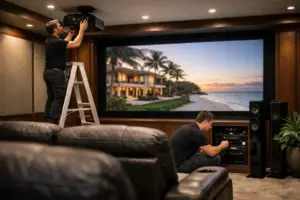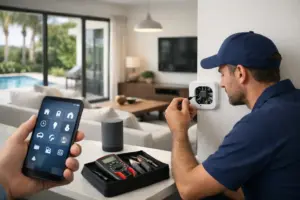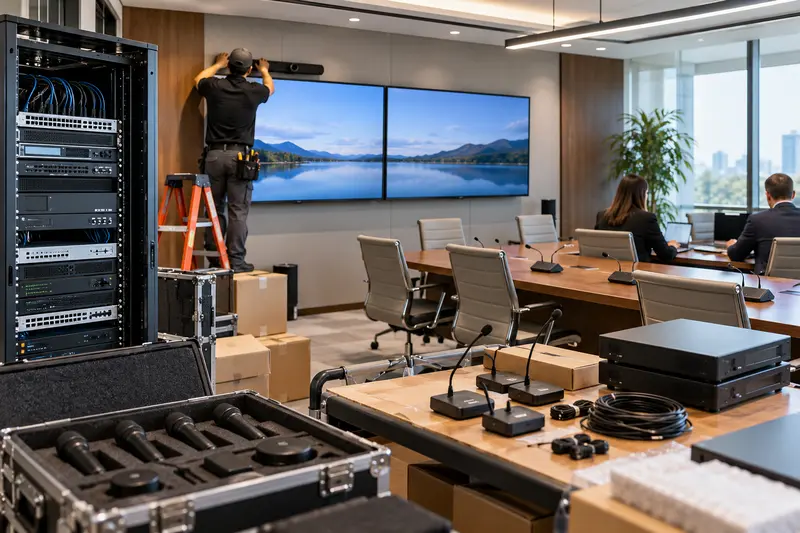
A commercial AV upgrade can improve meetings, customer experience and staff efficiency, but poorly sequenced work can create downtime in the rooms the business relies on most. The safest approach is to treat the project as an operational transition—not a weekend equipment swap.
Phasing allows a business, club, restaurant, multifamily property or professional office to improve technology while keeping essential spaces available. It requires a clear inventory, dependency map, temporary-operation plan and acceptance process before the first device is removed.
Define the business outcome for each space
Start with what people need to accomplish. A boardroom may need one-touch video meetings and clear speech. A restaurant may need independent television and audio zones. A clubhouse may need divisible-room operation for meetings and events. The desired result should be written before brands and models dominate the conversation.
Rank rooms by operational importance, revenue impact and current failure risk. This creates a rational sequence and prevents a visible but low-priority display from displacing an unreliable meeting or customer-service system.
Inventory equipment and hidden dependencies
Document displays, projectors, speakers, amplifiers, microphones, control processors, source devices, racks, network switches, cabling and power. Then record the systems they depend on. A new video platform may require network changes; new amplifiers may change power and ventilation; a control update may affect lighting or shades.
Existing equipment should be classified as retain, relocate, replace or investigate. Do not assume that a working device will integrate cleanly with the new system. Connection standards, control methods, licensing, warranty status and physical condition all matter.
Build a room-by-room phasing plan
Each phase should have a defined start condition, work window, test procedure and return-to-service point. Group work by dependency rather than convenience. It may be sensible to stabilize the network and rack first, complete one pilot room second, and then repeat the proven design across additional spaces.
Typical phase structure
- Assessment and design: document systems, users, construction conditions and responsibilities.
- Infrastructure: correct cabling, power, network, rack and ventilation issues.
- Pilot: complete one representative room and collect user feedback.
- Rollout: upgrade remaining spaces in scheduled groups.
- Commissioning: test functions, train staff and close documentation gaps.
- Support: monitor performance and address issues under a defined service path.
Protect temporary operation
Identify what must remain available during work. A conference room may need a temporary display and simple video-call kit. A restaurant may need selected televisions and background music zones operating every day. A residential building may need the amenity system returned before evening events.
Temporary operation should be designed, not improvised. Label temporary connections, restrict staff controls to necessary functions and communicate any limitations. Avoid creating an undocumented interim system that later becomes permanent by accident.
Schedule around real business constraints
Work windows should reflect customer hours, executive meetings, events, quiet periods, construction access and building rules. Confirm who can provide entry, who may shut down systems and who approves return to service. In condominiums and managed buildings, freight elevators, loading areas and after-hours access may require advance reservations.
Allow contingency time for concealed conditions. Existing cabling may be mislabeled or inaccessible, and older equipment may fail when moved. A responsible schedule identifies these risks instead of promising that every unknown will fit into one overnight window.
Coordinate IT, electrical and construction responsibilities
Commercial AV frequently depends on the network, internet connection, electrical circuits, millwork, ceiling support and lighting. The project should state which party provides each requirement and when it must be ready. Open issues should have an owner and a due date.
Network-security policies deserve early attention. Corporate IT may need to approve switch configuration, device addressing, cloud services, remote support and firewall changes. Waiting until commissioning to request approval can delay an otherwise complete room.
Test with actual workflows
A system is not accepted because every device powers on. Test the tasks employees perform: start a Teams or Zoom call, share content from approved devices, adjust volume, select television sources, combine rooms, recall presets and recover from a restart. Confirm speech clarity from typical seats and camera framing for both local and remote participants.
Record issues by room and severity, then verify corrections. Acceptance should include the owner’s representative, an everyday user and the integration team—not only the technician who programmed the system.
Train by role and keep controls simple
Executives, front-desk staff, event teams and IT administrators do not need identical training. Provide short role-based sessions and written quick-start guidance for daily functions. Advanced settings should be protected from accidental changes.
Names on the interface should match the labels people use in the building. “North Ballroom Display” is clearer than an equipment model number. Consistent room and source naming also improves remote support.
Close the project with useful documentation
Final records should include equipment lists, rack elevations where appropriate, cable labels, network requirements, warranties, control notes and approved remote-support access. Document remaining legacy equipment and the next recommended phase so ownership can budget instead of reacting to the next failure.
Plan support before the launch date
Decide how issues will be reported, who may authorize service, which systems are covered and what response expectations apply. A recurring support agreement can include documentation, remote troubleshooting where supported, planned reviews and priority scheduling, but the written scope should define coverage and exclusions.
Sentry Audio Video designs, installs and supports commercial AV, networking, communications and connected security systems in South Florida. Explore our commercial AV integration services, review business technology service plans, or request a commercial assessment. Call (561) 717-3280 to discuss operating hours, priority rooms and a practical project sequence.