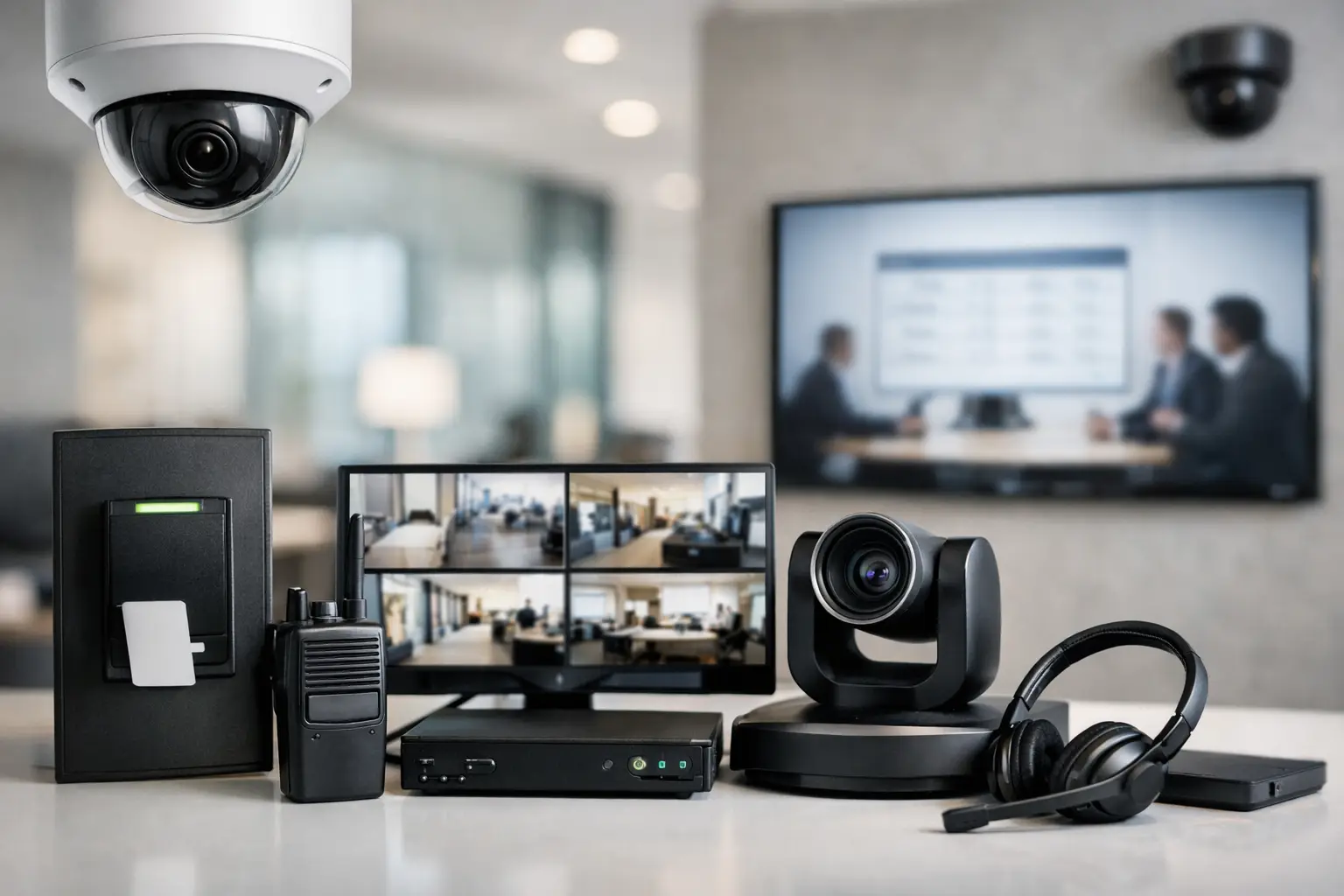
A business technology system proves its value when something needs attention fast: a delivery arrives at a secured entrance, a meeting starts in five minutes, a camera alert appears after hours, or an employee needs help in a restricted area. The 7 Essential Features to Look For in a Business Security & AV Setup are not simply a collection of devices. They are the components that allow a property to operate with clarity, accountability, and confidence.
For offices, hospitality venues, medical practices, retail spaces, and multi-use commercial properties, the right solution should make daily operations easier without placing more work on staff. It must also be designed around the building, the people using it, and the risks the business needs to manage.
7 Essential Features for a Business Security & AV Setup
1. Unified, Intuitive Control
A well-designed system brings critical functions together without forcing your team to navigate separate apps, remotes, and logins. Depending on the property, one interface can provide access to camera views, door controls, conference-room displays, distributed audio, lighting scenes, and alerts.
The goal is not to put every function on one screen just because it can be done. The goal is to give each user the controls they need, with the appropriate level of permission. A receptionist may need to communicate with a visitor and release a front door. A manager may need access to camera playback and meeting-room controls. An owner may require secure remote visibility across multiple locations.
Simple control also protects the investment in the system. If employees cannot confidently operate the technology, they will work around it. Custom programming, labeled interfaces, and thoughtful training turn sophisticated equipment into a practical part of the workday.
2. Video Surveillance Designed Around Real Coverage Needs
Camera count alone does not determine whether a surveillance system will protect your property. Coverage quality depends on placement, viewing angles, lighting conditions, image detail, recording retention, and how quickly authorized users can find footage when it matters.
Entrances, parking areas, loading zones, cash-handling locations, corridors, and perimeter access points often need different camera types and positioning. A camera that offers a wide overview of a lobby may not provide the facial detail needed at a secured entrance. Outdoor cameras must account for glare, weather exposure, nighttime visibility, and changing light conditions.
Your system should also make footage usable. High-resolution recording is valuable, but it requires sufficient network capacity and properly sized storage. Retention requirements vary by industry, insurance expectations, and internal policy. A professional design balances image quality, recording duration, and operational needs rather than applying the same configuration to every camera.
Remote access is equally valuable for business owners and property managers, provided it is protected with strong authentication and user permissions. The ability to check a live view from an authorized device is helpful. Giving every employee unrestricted access is not.
3. Managed Access Control and Visitor Communication
Keys are difficult to track, easy to duplicate, and nearly impossible to manage efficiently as employees, vendors, and tenants change. Electronic access control gives businesses a more accountable way to manage who can enter specific areas and when.
Look for a solution that supports role-based credentials, scheduled access, audit trails, and rapid credential removal. A professional office may need employees to enter only during scheduled hours. A property with equipment rooms, records storage, or executive areas may need different access levels for different teams. The system should reflect the way the business actually operates.
Video intercoms and visitor communication add another layer of control at main entrances, gates, and delivery areas. Staff can verify visitors before granting access, while designated decision-makers can handle exceptions remotely when appropriate. For larger properties, integrating access events with nearby camera footage creates a clearer record of what occurred at a door.
There is a trade-off to consider: more restrictive access policies can strengthen security but may create friction for legitimate visitors and service providers. The right approach is deliberate, not excessive. A qualified integrator can help establish rules that protect the property without slowing down the business.
4. A Network and Cabling Foundation Built for the System
Security and AV performance depend on the infrastructure behind them. Cameras, access readers, wireless controls, conferencing systems, digital signage, and networked audio all rely on stable connectivity. When the network is treated as an afterthought, even premium equipment can become unreliable.
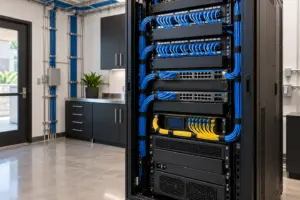
Structured cabling should be planned before walls are closed or finishes are completed whenever possible. Proper cable pathways, equipment rack design, labeling, power protection, and ventilation make the installation cleaner and make future service far more efficient. A well-organized equipment room is not merely an aesthetic preference. It allows technicians to diagnose issues, replace components, and expand the system without disrupting the workspace.
Network design should also separate critical traffic where needed. Surveillance recording, guest wireless access, office data, and AV control should not compete carelessly for the same resources. The exact configuration depends on the size of the property and the systems in use, but the principle is consistent: business-critical technology deserves a business-grade foundation.
5. AV That Supports Communication, Not Complication
Commercial AV should help people present, collaborate, inform, and communicate. In a conference room, that may mean a display, camera, microphones, and content-sharing options that start quickly and work consistently. In a restaurant, showroom, or lobby, it may mean appropriately zoned audio and visual content that complements the customer experience.
The most effective AV design begins with how a room is used. A boardroom needs different display sizing, camera placement, and audio coverage than a training room. An open office may require speech privacy and controlled sound levels, while a customer-facing venue may benefit from independent audio zones that allow different areas to operate at different volumes.
Do not overlook acoustics and sightlines. A large display does not solve a communication problem if people at the back of the room cannot hear clearly or remote attendees cannot understand the conversation. Likewise, microphones should be selected and positioned for the room rather than added after complaints begin.
For businesses with multiple spaces, centralized management can simplify opening and closing procedures. Staff can power on designated displays, set appropriate audio levels, and confirm system status from a consistent interface.
6. Life Safety Coordination and Clear Emergency Response
Security technology has an important role during emergencies, but it must support, not interfere with, required life safety systems. Fire alarm systems, emergency communication, access-controlled exits, and surveillance can be coordinated to improve visibility and response while meeting applicable codes and regulations.
For example, access-controlled doors may need to respond appropriately during an alarm event. Camera views can help authorized personnel understand conditions at an entrance or common area. Paging and communication systems may provide instructions to occupants when designed for that purpose.
This is an area where proper planning matters most. Fire alarm work, egress requirements, and emergency system behavior are subject to local codes and professional standards. A commercial technology partner should coordinate with the relevant trades and authorities so security and AV features strengthen the overall safety plan rather than creating conflicts.
7. Scalable Design, Remote Service, and Ongoing Support
A business rarely stays static. Teams grow, office layouts change, new locations open, and operating hours evolve. A security and AV system should accommodate those changes without requiring a complete replacement each time the business moves forward.
Scalability begins with design decisions that may not be visible after installation: available rack space, cable capacity, network headroom, documented configurations, and equipment selected for commercial use. These details help make future additions more predictable, whether that means adding cameras, expanding access control, or outfitting another meeting room.
Ongoing support is just as essential. Technology needs periodic updates, user adjustments, maintenance, and occasional troubleshooting. Remote monitoring and remote service capabilities can identify certain issues before they disrupt operations, while a knowledgeable service team can resolve more complex concerns efficiently when an on-site visit is required.
Before approving a project, ask who will stand behind the system after installation, how support requests are handled, and whether documentation will be provided. A dependable partner takes ownership of performance well beyond the final walkthrough.
The right business security and AV setup should feel intentional from the first day of operation. When surveillance, access, communications, network infrastructure, and AV are designed as one coordinated environment, your team can focus less on technology problems and more on serving clients, protecting the property, and running the business with confidence. Sentry Audio Video approaches every commercial project with that level of planning, clean execution, and long-term accountability.