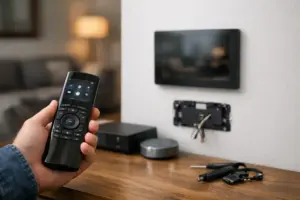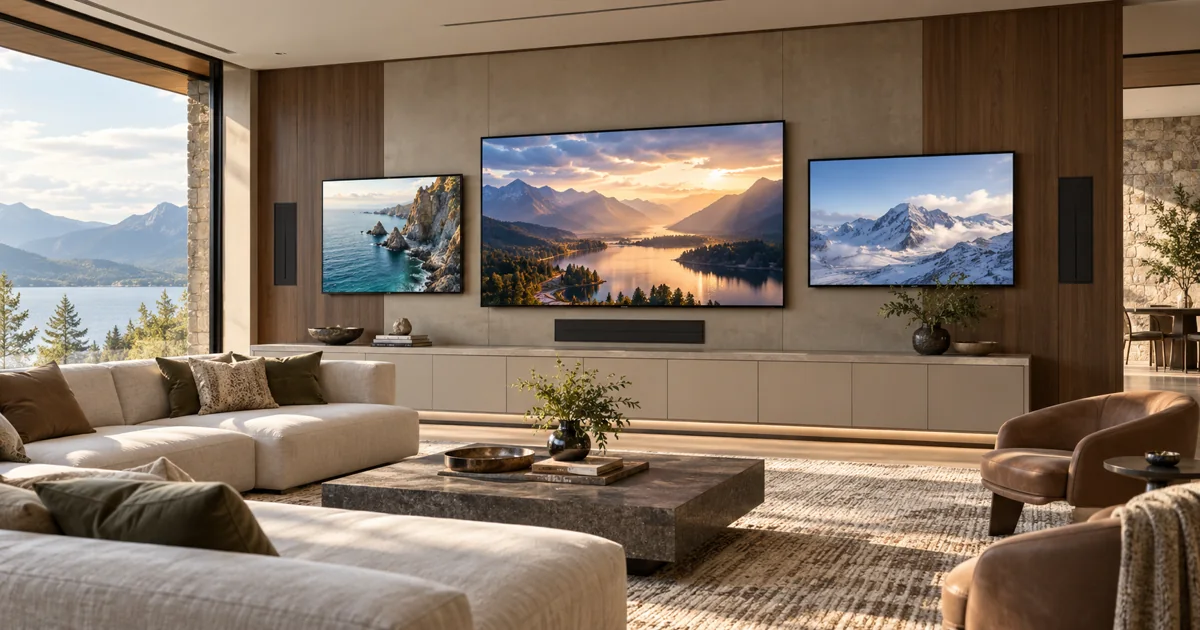
For a Savant room with several televisions, decide which screens need independent programs before choosing source devices and distribution equipment. Three displays showing the same picture and three displays showing different programs are different systems. The distinction affects source count, routing, audio selection, subscriptions and the controls used every day.
Plan your Savant project
Tell us how many screens you want, which programs must play independently and how you want to choose the room’s sound. We can turn those requirements into an equipment and programming scope.
Request a Sentry Audio Video consultation Call (561) 717-3280
This decision is especially useful for a media lounge, sports-viewing room or indoor-outdoor entertainment suite. Begin with the way the room will be used during a normal evening and a larger gathering, then define the equipment needed for those specific situations.
Draw the screen and source combinations
Give every display a simple name or position: Center, Left and Right, for example. List the combinations that must be available. The center display might show the main event while the side screens show other channels, or all screens might mirror one source during a presentation.
Identify whether each screen needs every source or only selected ones. A fully flexible arrangement can require more routing capacity than a design with one dedicated player per display. Neither approach is automatically better; the useful choice follows the desired operation and service plan.
Do not use “video wall” as a substitute for this discussion. A single image spanning several panels differs from multiple independent televisions. The proposal should describe the actual picture behavior rather than rely on an attractive but ambiguous label.
Match independent programs with available source sessions
A source device normally produces a particular output at a given time. Routing that output to several displays does not make the programs independent. If the household wants three unrelated programs simultaneously, the design needs sufficient independent source capability.
Streaming subscriptions introduce a separate requirement. Device limits, household rules, simultaneous streams and event availability vary by service and can change. Confirm the owner’s intended services without promising that one login or subscription covers every display arrangement.
Keep account ownership with the customer and use an appropriate setup process. The system records can identify which source serves which display without exposing passwords in printed operating instructions or ordinary project emails.
Decide which screen supplies the room’s sound
Most multi-screen rooms need one clear main audio choice. The family may want the center program through the room speakers while the side televisions remain silent. Alternatively, the operator may need to switch the room’s sound to another displayed program.
Write that behavior into the programming scope. Test whether the operator can see which program is providing sound and change it without interrupting the other pictures. Keep the process clear enough for a guest who has not seen the equipment rack.
Where personal listening or another audio arrangement is requested, review the exact equipment and supported signal paths. Independent television audio, synchronized distributed sound and private listening can involve different hardware and timing considerations.
Choose local sources or central distribution deliberately
Local players can keep each television’s source arrangement straightforward, but they require power, network access, physical space and service access near the displays. A central rack can reduce visible equipment while requiring an appropriate distribution system and supported cable paths.
Check the resolution and signal-format requirements across the complete chain. Displays, source devices, matrix equipment, extenders and cabling must work together at the agreed settings. A new screen’s advertised capability does not establish what retained distribution equipment can deliver.
Discuss how a failed or replaced source will be serviced. Equipment concealed behind a large display should remain accessible through the planned mounting arrangement. Central equipment needs labeled connections and enough room for safe work.
Make the Savant controls reflect the room
The interface should map to recognizable screens and provide the agreed routing choices. An operator should not need to remember that an unexplained device number corresponds to the right-hand television. Use names that match the room and the documentation.
Useful preset activities might prepare a standard sports-viewing arrangement or return every screen to a common source. Define exactly what those activities do, including audio and shutdown behavior. Keep manual selection available where it is part of the agreed design.
For an existing system, identify the installed Savant host, software and routing equipment before promising interface changes. A programming request may reveal a missing hardware path rather than a software fault.
Test simultaneous operation, not each TV in isolation
Commission every required combination with the intended services running at the same time. Check picture, audio selection, response and shutdown. Verify that changing one screen does not unexpectedly switch the others.
For adjacent screens showing the same live event, evaluate visible or audible timing differences. Different source paths and streaming devices can introduce delays. Test the actual arrangement rather than assuming that identical-looking screens will remain synchronized.
Include normal network use in the review and verify that the equipment operates reliably under the expected workload. Record which combinations were tested and any limitations accepted by the owner.
Specify a useful installation scope
The proposal should identify display locations, independent source count, routing equipment, audio behavior, network and cabling work, programming, mounting and training. Separate customer-supplied equipment from supplied equipment and state how existing faults are handled.
Sentry Audio Video is an authorized Savant dealer providing Savant sales and installation, upgrades and programming. For wider planning, see our Savant design services. Call (561) 717-3280 in Boca Raton or Palm Beach, (954) 859-6475 in Fort Lauderdale, or request a multi-screen room consultation.