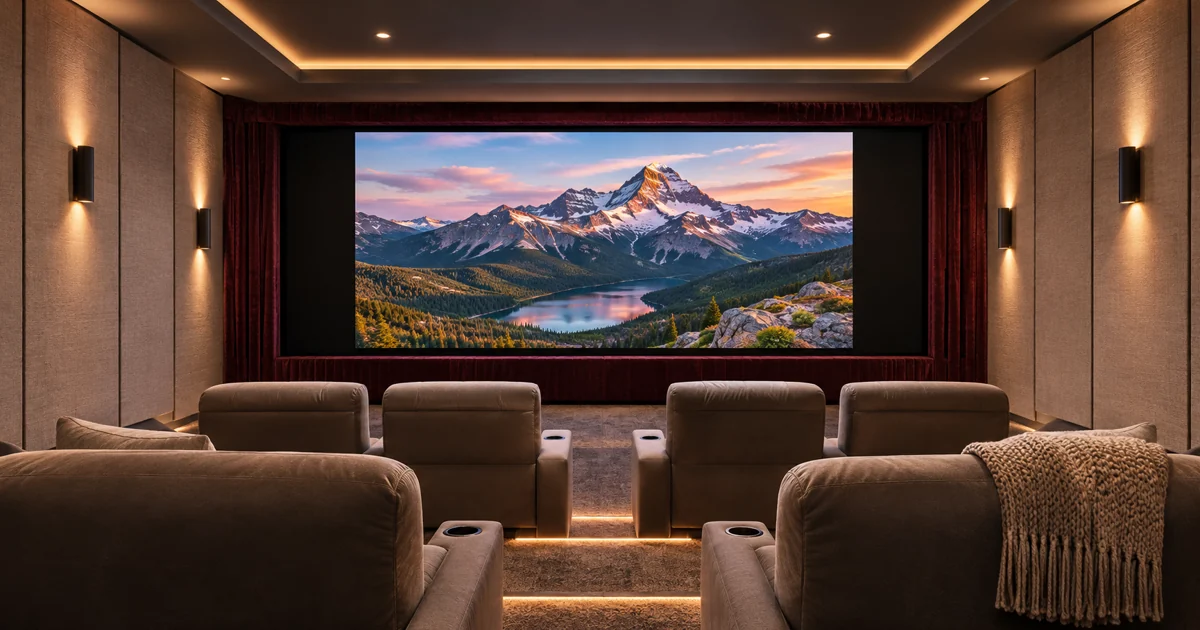
A premium theater can start correctly and still frame a movie poorly. When the picture changes shape, the projector image and a motorized masking screen need an agreed operating plan. In a new Savant theater, ask who selects the aspect ratio, what controls the masks and how the owner corrects an unexpected result.
This is part of a complete Savant theater and smart-home installation. It is a different purchasing decision from projector startup and screen lowering. The objective is to agree on image framing with the equipment that will actually be installed.
Describe the viewing situations first
List the sources and content types used in the room. A movie library, streaming service, television program and game console may not present the same image shape or controls. Include menus, subtitles and other material the household expects to see. The desired picture should remain usable throughout an activity, not only during a selected demonstration clip.
Ask the designer to explain the screen’s intended image arrangement. A constant-height approach and a constant-width approach lead to different framing decisions. You do not need to make that choice from technical vocabulary alone: request a drawing or demonstration showing the actual visible image and surrounding masked area.
Distinguish the screen from the masking mechanism
Motorized masking changes the visible framing around the image. It should not be confused with lowering or retracting the screen itself. Screen Innovations, for example, documents motorized side masking on its DT Dynamic 2S family. The product’s supported masking arrangement is a reason to review the exact assembly, not proof of compatibility with every control system.
The proposal should identify the screen, masking controller, projector and any required image-position or lens functions. Record which components are supplied by the theater installer and which need coordination with another party. A reference theater photograph does not specify those connections.
Decide where aspect-ratio selection originates
Ask whether the owner selects a framing preset, the source supplies usable information or another verified mechanism requests a change. Do not assume that a motorized screen means Savant automatically recognizes the aspect ratio of every movie. Automatic behavior must be established for the proposed combination of source, control interface and screen.
If the design uses manual presets, agree on names that describe the viewing result. The owner should know which choice suits the content and how to return to the normal setting. If automation is proposed, ask what conditions it can observe and what limitations remain.
Coordinate masks with the projector image
The masks and projected image must be evaluated together. A masking movement does not, by itself, establish the correct image size or position. The installer should confirm the selected projector’s supported adjustments and the way those adjustments will be requested through the control system.
Review the intended sequence when changing framing while a source is already playing. Decide whether the viewer sees a delay, an intermediate image or an indication that a change is underway. Avoid universal timing promises: the accepted behavior belongs to the particular projector, screen and interfaces in the proposal.
Keep a practical correction method
An owner should have a clear way to recover if the picture is framed incorrectly. Agree on the supported controls and the route back to the accepted default. Changes should remain within the installed equipment’s normal operation; the homeowner should not need installer menus to watch a different program.
Include household users in the review. A guest should be able to start the agreed activity, while more detailed adjustments can remain in an appropriate place. Interface appearance should accurately reflect what the system can control and confirm.
Test more than one selected movie
Commissioning should include representative sources and the supported framing choices. Review the picture edges, menus and captions that matter to the owner. Test a change during playback and a return to the default arrangement. Keep the screen manufacturer’s required travel and operating provisions within the qualified installation scope.
Our separate Savant theater startup guide addresses power, readiness and screen travel. Combining both acceptance records gives the owner a clearer handoff without turning this article into another general screen-buying guide.
For a high-end theater in Miami, Miami Beach, Fort Lauderdale or Boca Raton, send the room plans and desired sources. Request a theater consultation or call (305) 502-0003 for Miami Beach, (954) 859-6475 for Fort Lauderdale or (561) 717-3280 for Boca Raton. Sentry can define screen masking, equipment and programming as one coordinated installation scope.
Manufacturer references
Technical references reviewed November 13, 2026. Confirm current product, software and installation requirements for the specified project.