A camera can recognize a person without sending the expected phone alert. It can also send an alert while the recorder fails to retain a useful clip. When buying an AI camera upgrade, treat detection, notification and recording as three separate functions that must work together. A box around a person on a live image proves only part of the result.
Start with the action the owner needs. For example: a person entering an agreed area after closing should create an event, notify an authorized recipient and leave retrievable footage showing the approach and departure. That is a testable outcome. “AI included” is not. The proposal should identify the devices, software and service dependencies responsible for each step.
First prove the detection event
Detection happens under defined conditions: the analytic type, view, zone, schedule, object class and any filters. Determine whether analysis takes place in the camera, recorder or another service. Do not assume the processing location from the word AI. The location matters when assessing licensing, connectivity, recording integration and what continues working during an outage.
Set up an agreed walk-through that reflects real entry paths and distances. Record the test time and confirm the event appears in the relevant event log. Include a deliberate non-event, such as movement outside the intended area, to check the boundary. A test that catches every passerby may produce too many notifications to remain useful. Tune cautiously and retest important entry paths after a change.
Then prove delivery to the actual recipient
A device event and a phone notification are not the same thing. An event rule, platform service, user permission and phone setting may each be involved. Test the owner’s actual phone under an agreed normal condition, including a locked screen if that is how it is commonly used. Record whether the notification arrived and what it opened when selected.
Keep the recipient list deliberate. A family, office or property management team should know who receives which alerts and who is expected to respond. Remove access for people who should no longer receive them through the platform’s normal access controls. Do not share a single owner password among staff simply to make everyone’s phone ring. The installation should support an understandable permission model.
Finally prove the recorded evidence
Open the event in recorded playback, not just live view. Check that the clip contains enough context to understand what occurred. Where the system supports pre-event recording, confirm the configured interval captures the approach rather than beginning after the person has crossed the view. Confirm the end of the clip and whether the relevant detail survives playback and export.
Recordings may be continuous, event-triggered or a combination. The test should reflect the proposed mode. A continuous timeline does not prove that event search works, and an event marker does not prove the underlying footage is still available. Check the intended recorder, storage health and user permission to retrieve footage. Retention length is a separate sizing question and should have its own documented assumptions.
Use a three-column acceptance record
For each agreed scenario, record detection, delivery and evidence independently. Add the test date, camera location and result. A failure in one column should remain visible while the other two pass. That helps the installer find the responsible stage instead of repeatedly changing camera sensitivity for a phone-delivery problem.
- Scenario: identify the location, entry direction, schedule and intended object class.
- Detection: confirm the analytic event and its timestamp.
- Notification: confirm the named recipient receives the expected message.
- Recording: confirm useful playback, event search and an authorized export.
- Exceptions: document a failed step, corrective action and completed retest.
- Handoff: explain normal limitations and the owner’s reporting procedure.
For a hypothetical driveway test, an installer might see a person event in the camera log and a valid clip in the NVR, while the owner’s phone remains silent. The next investigation concerns delivery rules, platform configuration or phone permissions. Replacing the camera at that point would skip the evidence. The separate record makes that distinction clear to both buyer and installer.
Check mixed-brand and service dependencies
If the camera and recorder are from different manufacturers, verify that the recorder receives the required analytic event, not merely the video stream. Exact models, firmware, integration drivers and licenses may affect support. A vendor compatibility list should be checked for the specific function. A broad claim of ONVIF support is not enough to prove every event, search feature or push-notification action.
Ask what happens if internet access is unavailable, a subscription ends or a phone is replaced. Do not promise a universal result: some parts may remain local while others depend on external services. Agree on which outage conditions the installer will test and which can only be documented from manufacturer information. Avoid disabling security controls or opening unnecessary ports to make a demonstration succeed.
Buyer questions
Does a successful notification prove the recording is usable?
No. Open the saved event and inspect the relevant detail. Confirm that the authorized user can find and export the footage. A notification preview can be useful without being a substitute for the recorded evidence required by the owner.
Should every movement generate a phone alert?
Usually the more useful goal is a defined set of actionable events. Agree on locations, times and recipients, then test both intended detections and boundary cases. Review nuisance alerts without suppressing the very approach path the system was purchased to watch.
The result should be a small, repeatable acceptance plan that an owner can understand. It connects the advertised intelligence to an actual operational outcome and gives future support a clear record of what was tested at handover.
Plan the next step with Sentry Audio Video
For a South Florida project, start with our video surveillance design and upgrades service. Sentry Audio Video can review the existing equipment, define the proposed change and identify the tests needed before ordering. Request a project review and include the equipment models, room or camera locations, and the outcome you want.
Related planning: AI video analytics planning.
Manufacturer and technical references
- Axis Object Analytics technical documentation
- Axis event-rule example and device manual
- ONVIF Profile M
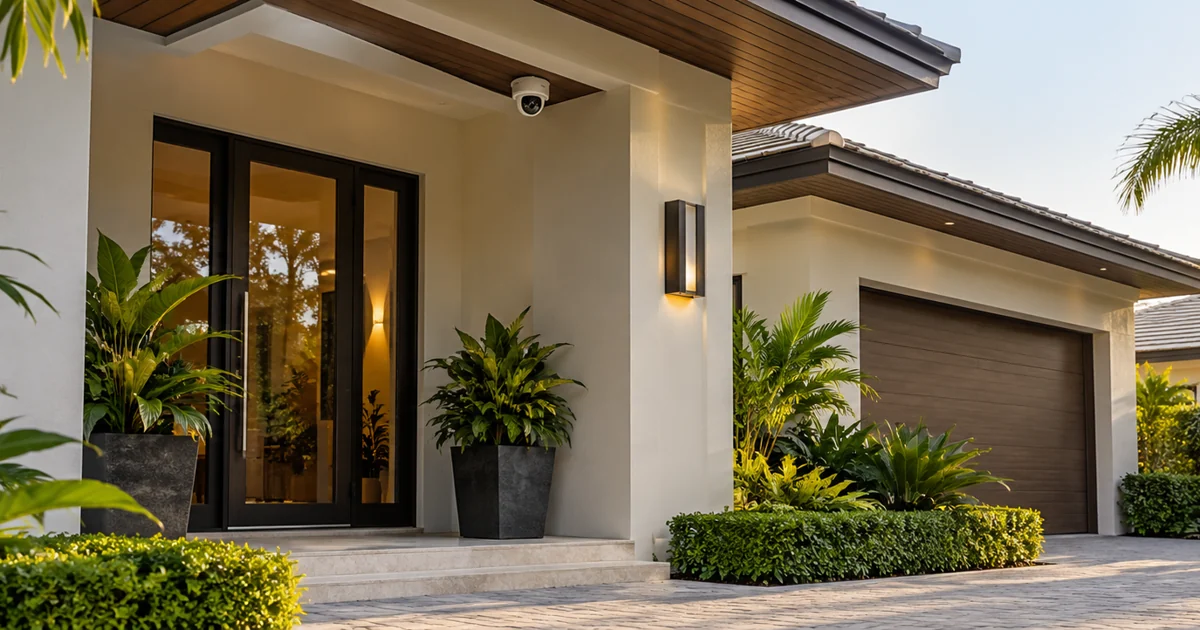
Technical sources reviewed October 23, 2026. Confirm exact model, software, licensing and project requirements before purchase. Featured image is an AI-generated illustration, not a photograph of a Sentry customer project.
From our Google reviews
“Brian and his team did an outstanding job installing our security cameras.”
Security camera installation
Google review excerpt