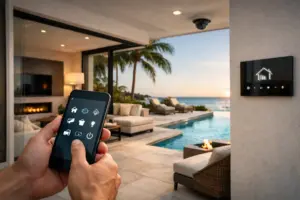
A small Josh.ai microphone is the visible part of a larger control system. Before choosing Josh Nano or Micro for a home, review the supporting processor architecture, network, power, audio-response path and integrations required by the proposed design. The smallest visible device does not necessarily mean the smallest installation scope.
Plan your Josh.ai project
Share the rooms you want to control by voice and the automation or lighting systems already installed. We can identify the supporting components, wiring and integration work needed for a complete proposal.
Request a Sentry Audio Video consultation Call (561) 717-3280
This buyer guide addresses that equipment and infrastructure decision. It does not assume that every Josh product uses the same architecture or that a microphone alone controls any existing device. The exact products and supported integrations should be confirmed before a proposal is accepted.
Distinguish the room device from the system architecture
Josh describes Nano as an architectural microphone used with Josh Core as the system’s brain. That relationship matters when comparing equipment lists. A quote for the visible room microphones should also explain the supporting components that make the proposed installation work.
Micro is another product within the Josh ecosystem, with its own installation and configuration requirements. Do not assume that Nano and Micro are interchangeable simply because both provide a way to speak commands. Ask the installer to identify the complete architecture for the selected products.
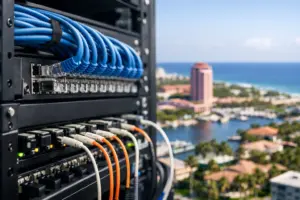
The design should show where the relevant processing and connection equipment lives, how it is powered and how it can be serviced. A device concealed in a rack or closet is still part of the system the homeowner is purchasing.
Confirm power and cable requirements before finishes close
Review the current documentation for each selected product and connection component. Determine which locations require network cabling, the specified power arrangement and any associated hardware. Do not apply a cable or power assumption from a different Josh model.
For new construction, put those requirements on the coordinated low-voltage plan before drywall. For an existing home, inspect the available pathway and test any retained cable before promising a concealed installation.
In concrete construction and condominiums, a discreet visible device can still require meaningful coordination to reach the intended location. The proposal should separate equipment, cabling, wall or ceiling work, finishing and building-access responsibilities.
Plan how the system will respond audibly
Speaking a request and hearing the response are separate parts of the experience. Ask how the selected room device’s response audio will be delivered in the proposed configuration. Confirm the required output arrangement and supported equipment rather than assuming every small microphone contains the same audio hardware.
Where an installed speaker system is involved, identify which room or zone will provide the response and how that interacts with ordinary listening. Test it with the owner’s normal music and television use so the result is understandable.
The manufacturer setup process includes room and audio-output assignments for Nano. Those settings should reflect the actual installation. A device being visible in an app does not, by itself, establish that the room experience is complete.
Verify the underlying devices and integrations
List the functions the owner expects to control: lighting, shades, music, television or other supported systems. Identify the exact installed products and the integration path for each. Brand names alone are not a compatibility specification.
If Josh is being added above another automation platform, decide which system owns scenes and device control. A clear division helps avoid duplicate names, inconsistent behavior and uncertainty about which service team should investigate a problem.
For a takeover, obtain owner-authorized access and review the existing configuration before promising new functions. A microphone upgrade cannot make unsupported equipment compatible or correct an unrelated network fault automatically.
Choose locations around use, acoustics and privacy
Coordinate device locations with the architect or designer, but also evaluate where people will normally speak. Room size, background audio, hard finishes and the placement of other devices can affect the experience. A visually hidden location is not automatically the best listening position.
Define which rooms should have microphones and which should use other controls. Discuss privacy expectations, mute behavior and available alternatives with the household. Product selection should support those choices rather than make them an afterthought.
Include a normal control path for essential daily tasks when voice is not the preferred option. Supported keypads, remotes, touchscreens and apps can complement the voice layer where they are part of the agreed system.
Compare complete proposals, not microphone prices
A useful comparison includes the room devices, supporting architecture, power and network work, response-audio arrangement, integrations, programming, commissioning and training. Ask whether required services, licenses or subscriptions are included or supplied separately by the owner.
State any retained equipment and the assumptions attached to it. If additional cable or configuration work is discovered during assessment, the proposal should explain how that is handled before ordering proceeds.
A lower visible-device price can be misleading when another quote includes more of the installation. Compare the same room functions and finished operating result rather than assuming that identical microphone counts describe identical systems.
Test the finished experience in the actual rooms
At handoff, test the agreed commands, response audio, room assignments and alternate controls. Include normal household wording and realistic background conditions. Record any accepted limitations and the correct route for future support.
Sentry Audio Video provides Josh.ai integration and installation, with service and upgrade support. Call (561) 717-3280 for Boca Raton or Palm Beach, (954) 859-6475 for Fort Lauderdale, or request a consultation. Manufacturer references: Josh Nano and Josh Core; verify current documentation for the selected configuration.