Seeing a clear live picture from a third-party camera on an NVR does not prove that the recorder receives the camera’s smart events. Basic video, motion events, object classification, event search and phone alerts are separate capabilities. When reusing an existing recorder, verify the functions the owner actually wants before ordering replacement cameras.
This is a compatibility question rather than a bandwidth calculation. An NVR can have enough capacity to display and record a camera while lacking the integration needed to interpret its analytic events. A useful upgrade proposal states which capabilities are supported by the exact camera, recorder, software and license combination, and which need a different approach.
Map where each function happens
Start by identifying where the intelligence lives. A camera may classify objects at the edge. A recorder may run its own analytics on the video it receives. A separate management platform may process metadata or apply event rules. These are different architectures. The installer should explain which one is being proposed and what it means for the retained equipment.
For example, a camera-generated person event may be available in the camera’s own interface but absent from the NVR’s search screen. That does not necessarily mean detection failed. It may mean the recorder is receiving video without the required event or metadata. Repeatedly changing the camera’s detection zone will not establish an integration the recorder does not support.
Treat ONVIF support as a starting point
ONVIF defines profiles for interoperability. Profile M addresses metadata and events for analytics applications. The existence of that profile does not mean every product carrying an ONVIF claim implements every analytic feature you want. Check the relevant conformance, exact firmware and supported functions on both ends. A generic “ONVIF compatible” line on a quote is too broad for acceptance.
Also inspect the recorder manufacturer’s supported-device information. Native drivers and integrations may expose features that a general connection does not. Conversely, a listed camera may have limitations recorded against particular functions. Retain that evidence with the project design and confirm it applies to the versions being installed. Compatibility should be verified for the feature, not just for the connection.
Write the required feature list before comparing products
A short feature list prevents an attractive camera specification from distracting from the intended result. Separate live viewing and continuous recording from the event features. Then ask the installer to mark each item supported, unsupported or requiring verification. An unresolved item should remain visible before equipment is ordered.
- Live view at the intended image settings and frame rate.
- Recording and reliable playback through the retained NVR.
- The specific person, vehicle or other analytic event required.
- Event markers or filters in the recorder’s search interface.
- Notifications to the intended application and authorized recipients.
- Export of the event footage in the owner’s normal workflow.
- Audio, two-way talk or other functions only when explicitly required and supported.
Do not assume a matching event name means identical behavior. A platform may expose generic motion while the camera distinguishes people and vehicles. The owner may need filtered search rather than only a push message. Define the actual task: find all relevant entries during a time period, receive an after-hours alert, or retrieve a particular incident. Those tasks can require different integration support.
Test one representative combination before a large order
For a multi-camera replacement, a controlled test of the proposed model with the actual recorder can reduce uncertainty. Use the intended firmware and licenses. Confirm both the camera’s event log and the NVR’s event view while someone performs an agreed scene test. Then retrieve recorded footage through the same interface the owner will use.
If a feature fails, identify whether the camera generated it, whether the recorder received it and whether the user interface exposes it. Record the outcome. A successful test with a different model in the same product family is useful background, but it does not conclusively prove the exact planned combination. Be particularly careful with model suffixes, recorder generations and newly introduced analytics.
Compare the available upgrade paths
There may be several reasonable outcomes. The owner might retain the recorder for basic recording and accept a limited feature set. A supported integration or license might expose the needed functions. A recorder replacement may be justified if the required workflow cannot be supported reliably. The proposal should explain the tradeoff rather than presenting a new recorder as an automatic requirement.
Using two applications can also be an option, but its consequences should be clear. Ask which app handles live viewing, which handles events and where recordings are searched and exported. Consider permissions and support responsibilities. An arrangement that technically works can still frustrate an owner if nobody explains why notifications and recordings live in different places.
Keep firmware changes in the support plan
Record the tested versions at handover. Future camera, recorder or management-software updates can affect integrations, so planned changes should include a feature retest. Do not freeze devices indefinitely or disable security protections to preserve an undocumented workaround. Use manufacturer-supported update and compatibility guidance, with appropriate backups and a defined support process.
Ask the installer to leave a concise capability matrix, not confidential credentials or an exposed network map. It should identify the exact equipment and the accepted limitations. That document gives future service work a useful baseline and prevents a later technician from mistaking a deliberate limitation for a new fault.
Buyer questions
If live video works, is the camera fully compatible?
No. Live video proves the tested video connection. Analytics, event delivery, search, audio and other features need separate verification against the owner’s requirements.
Must I replace every camera and the NVR together?
Not necessarily. Assess the exact retained and proposed equipment first. Choose a mixed system only when its supported functions and limitations meet the intended workflow, and demonstrate that workflow before accepting the upgrade.
Plan the next step with Sentry Audio Video
For a South Florida project, start with our video surveillance design and upgrades service. Sentry Audio Video can review the existing equipment, define the proposed change and identify the tests needed before ordering. Request a project review and include the equipment models, room or camera locations, and the outcome you want.
Related planning: new cameras versus an existing NVR.
Manufacturer and technical references
- ONVIF Profile M metadata and events
- Milestone ONVIF driver supported features
- Axis OS knowledge base
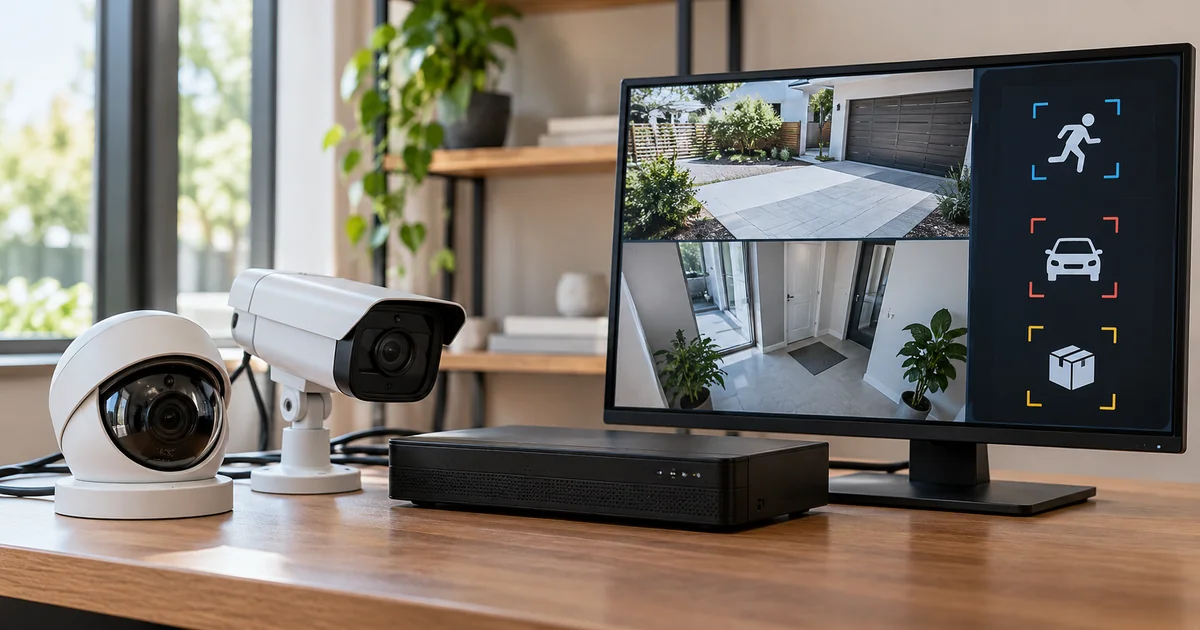
Technical sources reviewed October 23, 2026. Confirm exact model, software, licensing and project requirements before purchase. Featured image is an AI-generated illustration, not a photograph of a Sentry customer project.
From our Google reviews
“Brian and his team did an outstanding job installing our security cameras.”
Security camera installation
Google review excerpt