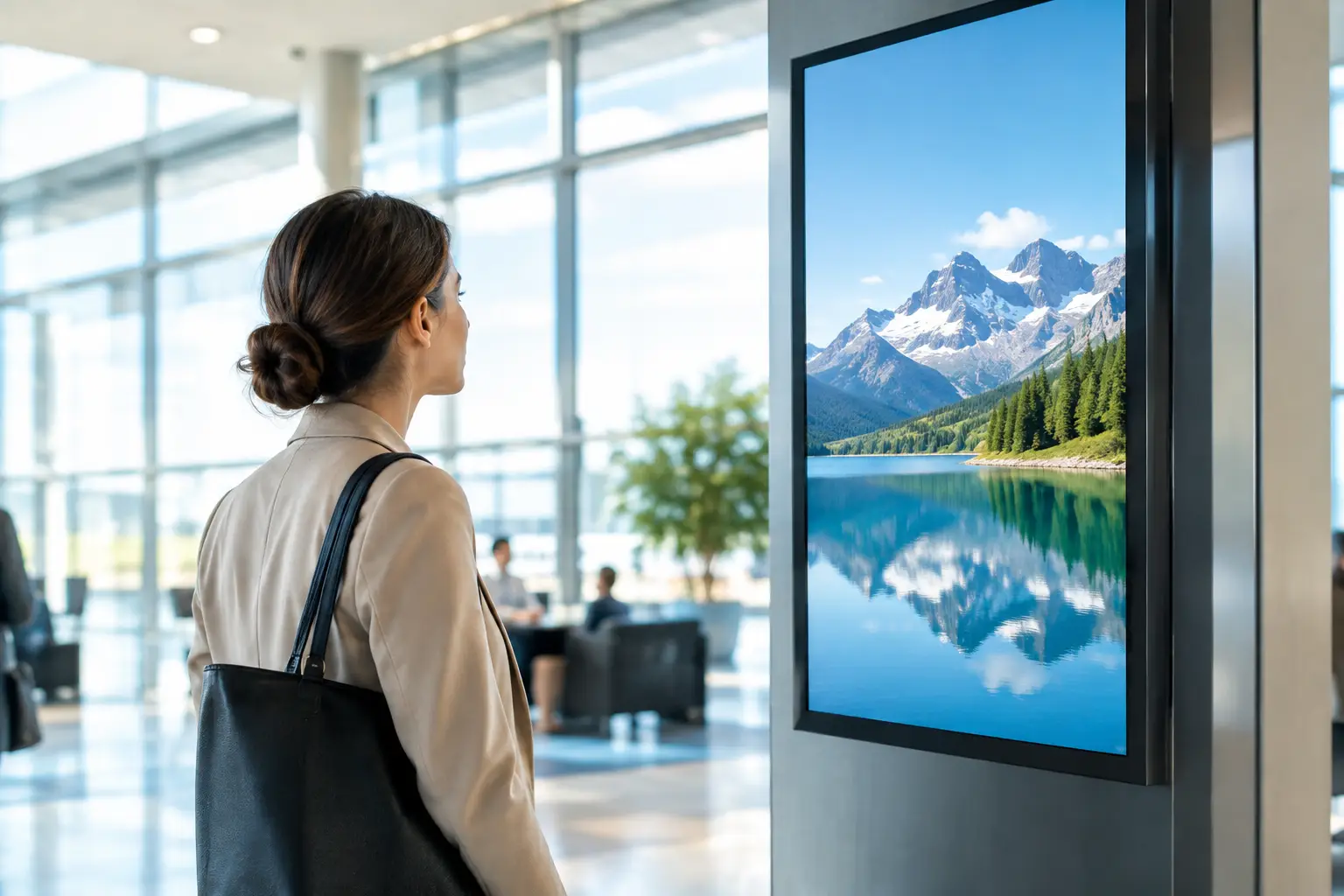
A visitor walks into your lobby, looks for directions, checks in for an appointment, or waits for service. In those first few moments, digital signage can either reinforce confidence in your business or create confusion. A bright display with outdated content, visible cables, or a blank screen sends the wrong message. A properly designed system communicates clearly, supports your team, and reflects the quality of the space around it.
For offices, hospitality properties, retail environments, healthcare facilities, restaurants, and luxury residential communities, digital signage is more than a wall-mounted display. It is a communications system that must perform consistently, look intentional, and remain easy for authorized staff to manage.
What Digital Signage Should Accomplish
The right system does not exist simply to fill wall space. It should give people useful information at the precise moment they need it. In a corporate setting, that may mean welcome messaging, meeting room schedules, company announcements, or emergency instructions. In a restaurant or retail environment, it may mean featured offerings, promotional content, service updates, and brand visuals that are easy to change.
For multi-tenant buildings and private communities, displays can help residents and guests navigate the property, learn about events, receive security notices, or view amenity information. In premium spaces, the presentation matters just as much as the message. Screen placement, brightness, mounting details, content quality, and cable concealment all shape the final result.
That is why a commercial display installation should be planned as part of the property, not treated as an afterthought. The screen, player, network connection, control platform, and supporting infrastructure need to work together.
Start With the Viewing Experience
A screen that looks impressive in a showroom may be difficult to read through a sunlit storefront window. A display that works well for a small waiting room may feel undersized in a busy lobby. Before selecting equipment, consider where people will stand, how long they will view the content, and what competing light sources are present.
Brightness is especially important in South Florida properties, where strong daylight and glass-heavy architecture are common. Commercial-grade displays are built for longer operating hours and higher-demand environments than standard residential screens. They also offer practical advantages such as portrait orientation, professional mounting options, remote management capabilities, and better performance over time.
Screen size should follow viewing distance and content type. Large visuals and short messages can be seen from farther away, while menus, directories, schedules, and detailed notices require viewers to stand closer. A professional site assessment prevents a common problem: installing a display that is technically functional but difficult to use.
Placement Is Part of the Message
The most valuable screen location is not always the most obvious wall. Entry points, elevator landings, reception areas, waiting zones, service counters, and high-traffic corridors can all be effective, depending on the goal. The display should be visible without obstructing circulation, architectural features, or sightlines.
Mounting also deserves careful attention. A clean installation accounts for power, data, ventilation, service access, and security. Visible cords and improvised surface raceways can undermine even a high-end display. Recessed solutions, finished backing, custom millwork coordination, and properly routed low-voltage cabling create the polished appearance premium commercial properties expect.
Build Digital Signage Around Reliable Control
Content management is where the daily value of digital signage becomes clear. Your team should be able to update a message, schedule content by time or location, and publish information without needing to access the display itself. At the same time, access should be controlled so the right people can make changes without introducing accidental errors.
A centralized management platform allows multiple displays to operate as one coordinated system while still showing location-specific content. A property manager may want the lobby, fitness center, package room, and amenity areas to share a visual identity but communicate different information. A business with several locations may need consistent branding along with local announcements.
The choice of platform depends on how often content changes, how many screens are involved, and who will manage the system. Some organizations need a simple, highly controlled interface for occasional updates. Others need scheduling, templates, approval workflows, data-driven information, and reporting. More features can provide greater flexibility, but they also require an operating plan. The goal is not to choose the most complicated platform. It is to select one your team will use confidently.
Content Needs a Real Operating Plan
A beautiful screen cannot compensate for stale messaging. Before installation, decide who owns the content, who approves it, and how frequently it will be refreshed. This keeps a valuable communication tool from becoming an expensive digital poster.
Effective display content is concise. People passing through a lobby will not read dense paragraphs or study a crowded slide. Use clear headlines, strong imagery, readable type, and intentional timing. Reserve detailed instructions for displays where viewers are expected to stop, such as a directory, queue display, or meeting-room information screen.
It also helps to plan for different moments in the day. Morning messaging may focus on arrivals and schedules. Midday content may promote services or property amenities. Evening displays can shift toward events, dining, or visitor information. Scheduled content makes this possible without placing a daily burden on staff.
Protect the System Behind the Screen
A digital display is only as dependable as the infrastructure supporting it. Network connectivity, power protection, equipment ventilation, and physical security all affect day-to-day performance. When these details are overlooked, staff are left troubleshooting problems that should have been prevented during design.
Hardwired network connections are often preferable for fixed commercial displays because they provide stability and reduce dependence on wireless conditions. Where wireless connectivity is appropriate, the network should still be designed with coverage, device capacity, and security in mind. Media players, displays, and management platforms should be placed on a properly configured network that supports the business without exposing critical systems unnecessarily.
Power should be planned, not improvised. A display may need a nearby outlet, concealed power routing, surge protection, or integration with the property’s backup power strategy. Equipment cabinets and recessed enclosures need adequate airflow, especially in warm areas or locations exposed to direct sunlight.
Remote monitoring can add meaningful value for larger deployments. If a player goes offline or a display loses communication, the issue can often be identified before it becomes a visible problem for guests or staff. For a busy property, that responsiveness is part of the experience you are protecting.
Know When Integration Adds Value
Digital signage becomes more powerful when it works with other systems, but integration should serve a purpose. A conference center may benefit from displays tied to room scheduling. A restaurant may need screens coordinated with its menu and audio/video environment. A residential community may use displays alongside access control, visitor management, or emergency communication procedures.
Not every display requires extensive integration. A single promotional screen may only need a reliable player and an easy content platform. A large facility with multiple departments, locations, and time-sensitive communications may justify a more advanced design. The right approach depends on the property’s operations, not a one-size-fits-all equipment package.
Sentry Audio Video approaches these projects with the full system in mind: display selection, placement, structured cabling, network readiness, control, installation quality, and ongoing support. That coordinated approach helps avoid the fragmented responsibility that often appears when multiple vendors handle separate parts of the job.
Plan for Service Before You Need It
Commercial technology should not become another responsibility for your front desk, office manager, or facilities team. A professionally installed system should include a clear handoff process, documented equipment, user training, and a defined support path when assistance is needed.
Ask practical questions before moving forward. Who will update content? How will a display be serviced if it is mounted in a finished wall? What happens if the network changes? Can new displays be added later? Can the platform support multiple users with different permissions? These answers influence the design from the beginning.
The strongest digital signage installations are not the ones with the most screens. They are the ones that remain clear, current, and dependable long after installation day. When the technology supports your staff and reflects the standard of your property, every screen has a purpose.